Manual vs AI Photo Editing: Which One Actually Gives You Better Product Photos?
Every seller eventually asks the same question: can an AI tool replace a human editor for product photos? The honest answer is — sometimes, but not always. This guide breaks down where AI genuinely helps, where it still falls short, and how to decide what fits your catalog.
What AI Photo Editing Actually Does Well
- Bulk background removal on simple, high-contrast product shots
- Basic color and exposure auto-correction
- Fast turnaround — seconds per image instead of hours
- Low cost per image at high volume
Where AI Editing Still Struggles
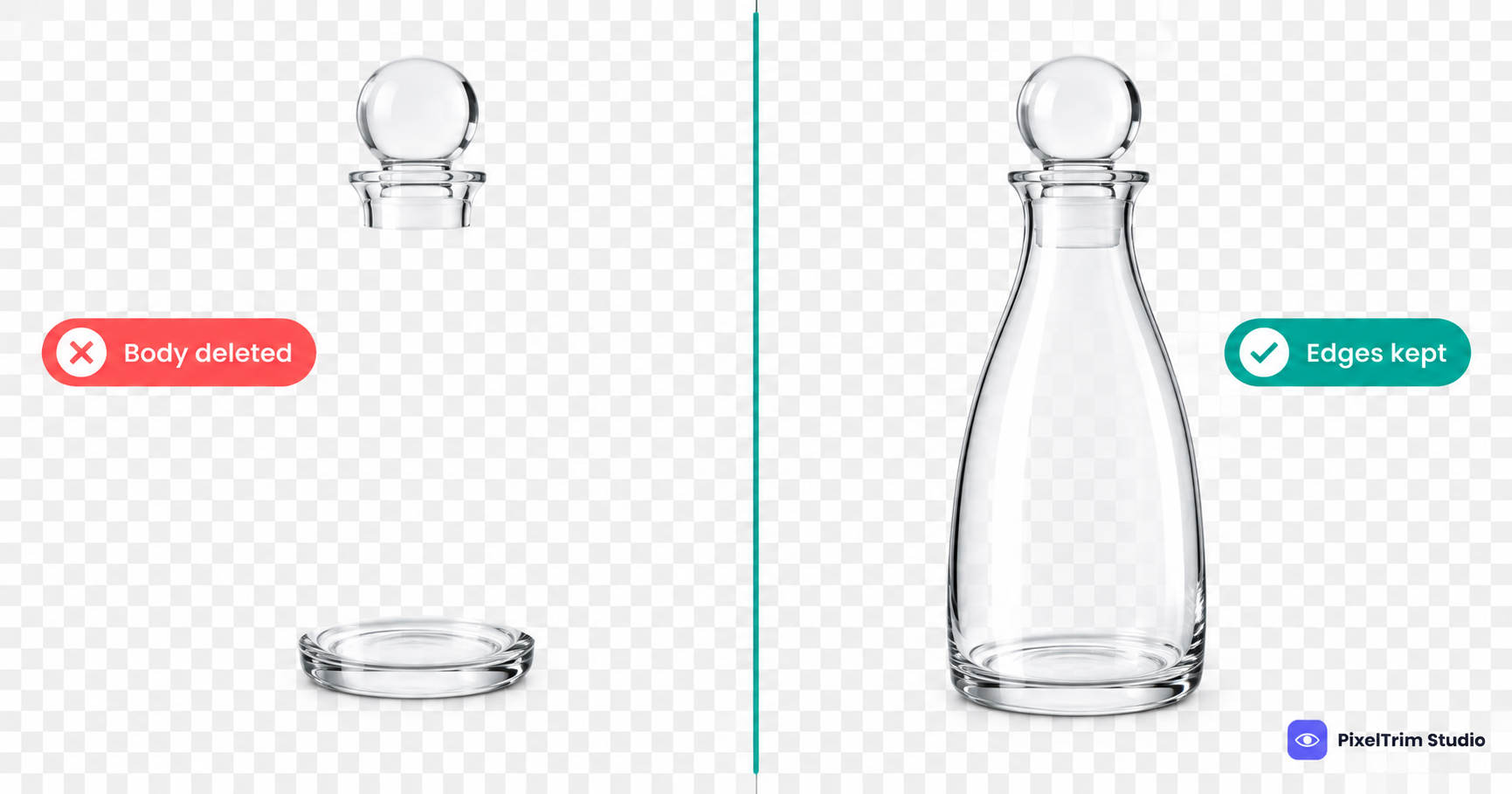
- Complex edges — fine jewelry chains, hair, fabric mesh, transparent glass, and fringe details often get clipped incorrectly or leave halos
- Ghost mannequin work — combining front/back apparel shots into a hollow-body effect still needs manual layering; see our manual vs AI ghost mannequin breakdown for specifics
- Marketplace compliance — Amazon, Walmart, and eBay have strict pure-white background and sizing rules; AI tools frequently miss edge cases that get listings flagged
- Color accuracy — AI color correction is generic, not calibrated to your actual product; this matters most for jewelry and apparel where color mismatch drives returns
- Consistency across a batch — AI results can vary image to image even within the same shoot, which looks unprofessional across a storefront
Side-by-Side Comparison
| Factor | Manual Editing | AI Editing |
|---|---|---|
| Complex edges (hair, mesh, chains) | Accurate | Often inaccurate |
| Marketplace compliance (Amazon/Walmart/eBay) | Reliable | Inconsistent |
| Turnaround per image | Slower | Very fast |
| Cost per image | Higher | Lower |
| Consistency across large batches | High | Variable |
| Best for | Jewelry, apparel, ghost mannequin, listing-critical images | Simple bulk cutouts, quick drafts |
A Practical Rule of Thumb
If a photo is going straight onto a marketplace listing where compliance and color accuracy affect conversions and returns, manual editing (or manual QC on top of AI output) is worth the extra cost. If you're processing hundreds of simple, low-stakes images — like internal catalog drafts — AI can save real time.
Many sellers land on a hybrid: AI for a first-pass cutout, manual refinement for edges, color, and compliance checks before publishing. This is close to how our own clipping path service and ghost mannequin service are structured internally — speed where it's safe, manual precision where it matters.
FAQ
Is AI photo editing good enough for Amazon listings?
For simple products on plain backgrounds, often yes. For jewelry, apparel, and anything with fine edges, manual QC is still recommended to avoid compliance rejections.
Is manual editing worth the extra cost?
For listing-critical images where color accuracy and compliance affect returns and conversions, yes — the cost difference is usually smaller than the cost of a rejected listing or a return caused by color mismatch.
Can AI and manual editing be combined?
Yes — a common workflow uses AI for a fast first-pass cutout, then manual refinement for edges, color, and marketplace compliance.
Not sure which approach fits your catalog? Get a free sample edit from our team and compare the result yourself.
Tags
Ready to get your images edited?
Upload 2 photos for a free trial edit — returned in under 24 hours.
Start free trial →