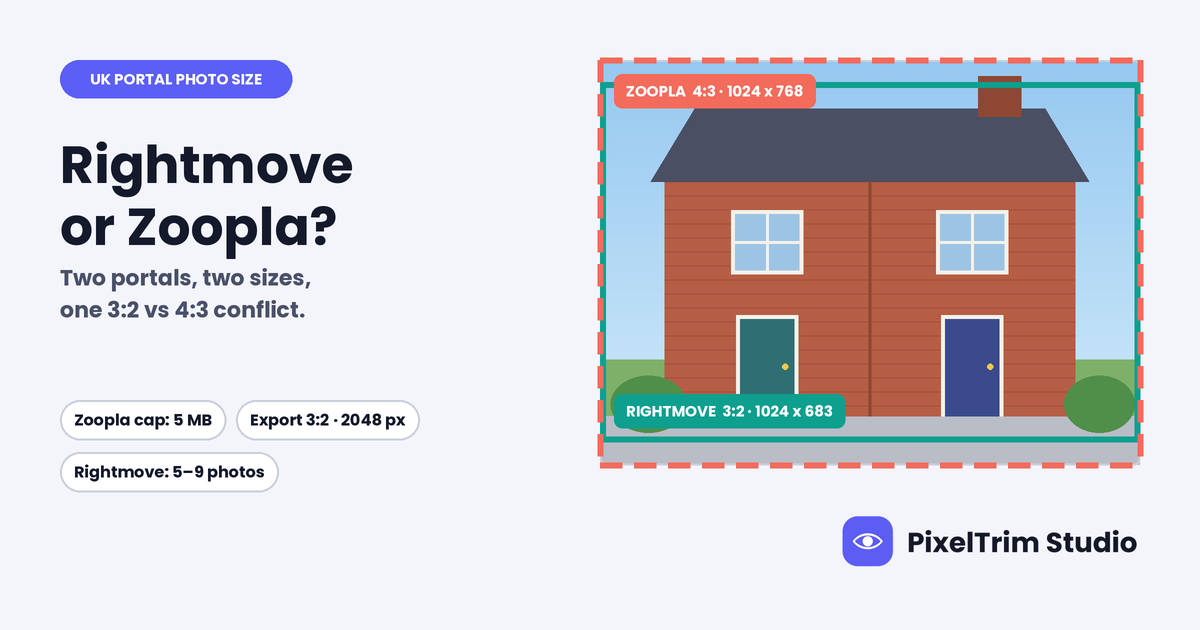
Rightmove's own agent guide says the ideal listing photo is 1024 x 683 px. Zoopla's help page says 1024 x 768 px, then asks for a 3:2 ratio on the same page. Those cannot all be true: 1024 x 768 is a 4:3 shape, and 3:2 at 1024 wide is only 683 high. This guide labels every number by where it comes from, shows where the two portals disagree, and ends with one export that clears both.
Rightmove and Zoopla Photo Requirements at a Glance
We read Zoopla's support page for manual uploads and an agent guide that Rightmove publishes on its trade hub. We could not open Rightmove's logged-in help pages, so "Not stated" means not in the pages we read, not that no rule exists.
| Requirement | Rightmove | Zoopla |
|---|---|---|
| Ideal landscape size | 1024 x 683 px | 1024 x 768 px |
| Minimum size | Not stated | 645 x 430 px |
| Portrait photos | Not stated | 768 x 1024 px |
| Aspect ratio | 3:2 by our maths (1024 x 683) | Page says 3:2, yet 1024 x 768 is 4:3 |
| File format | Not stated | JPG, GIF, BMP or PNG |
| File size | Not stated | 5 MB per photo |
| Photo count | 5 to 9 perform best (Rightmove's claim) | Not stated |
| Floorplan | 900 x 900 px optimum, uploaded separately | Not stated |
Sources: the Rightmove column comes from Rightmove's agent guide for new-homes listings, an older document that is not dated in its text. The Zoopla column comes from Zoopla's "add photos" support page for ZooplaPro. The 3:2 line for Rightmove is our own arithmetic, not a Rightmove statement.
Why Zoopla's Own Page Disagrees With Itself
The Zoopla page lists an optimum of 1024 x 768 px and, a few lines later, says images should be in 3:2. The two do not match.
- 1024 x 768 px is 4:3. At 1024 wide, 4:3 is 768 high.
- 3:2 at 1024 wide is 683 high, which is exactly the Rightmove figure.
The gap is 85 px of height, about 11% of a 4:3 frame. If a portal fits a 3:2 photo into a 4:3 slot by cropping, you lose about 11% of the width. If it pads instead, you get bars. Zoopla does not say which, so keep the important parts of the frame away from the outer edges.
What Rightmove Says, and What It Leaves Out
The Rightmove guide is about presenting a listing, not about file rules. It names 1024 x 683 px as the ideal image size, says to put the best photos first, and says listings with 5 to 9 good images perform best. It also says internal images get the most views, so lead with a standout kitchen if there is one. For floorplans it gives 900 x 900 px as the optimum and says to load them separately from property photos, though its wording on how they then appear in the floorplan tab is unclear, so test one in your CRM.
It gives no minimum size, file format or file-size cap. Trade press once quoted an agent saying a software provider capped uploads at 60 photos while Rightmove itself allows up to 999. We found no Rightmove page confirming that, so we do not treat it as a rule.
Working to US listing rules as well? Our MLS photo requirements guide and Zillow photo requirements guide cover the same problem there.
One Master Spec That Clears Both Portals
This is our recommendation, built from the strictest version of every number above.
- Export JPEG, landscape, 3:2, at 2048 x 1365 px. That is double Rightmove's 1024 width and clears Zoopla's 1024 x 768 optimum in both dimensions.
- Keep each file under 5 MB. That is Zoopla's cap, and Rightmove names none.
- Keep key details inside the middle 89% of the width, so a 4:3 crop does not cut off a door, a window view or a kitchen island.
- Lead with your 5 to 9 strongest photos, best interior or exterior first, as Rightmove advises.
- Save the floorplan separately at 900 x 900 px for Rightmove.
- Keep the unedited originals of every photo.
Fixing Photos That Fail or Look Flat on a UK Portal
Most problems come down to size, format or lighting, and each has a separate fix.
- Wrong size, ratio or format: our image conversion service resizes and reformats a batch to spec from $0.19 per image, or $0.39 when a colour mode or DPI change is also needed.
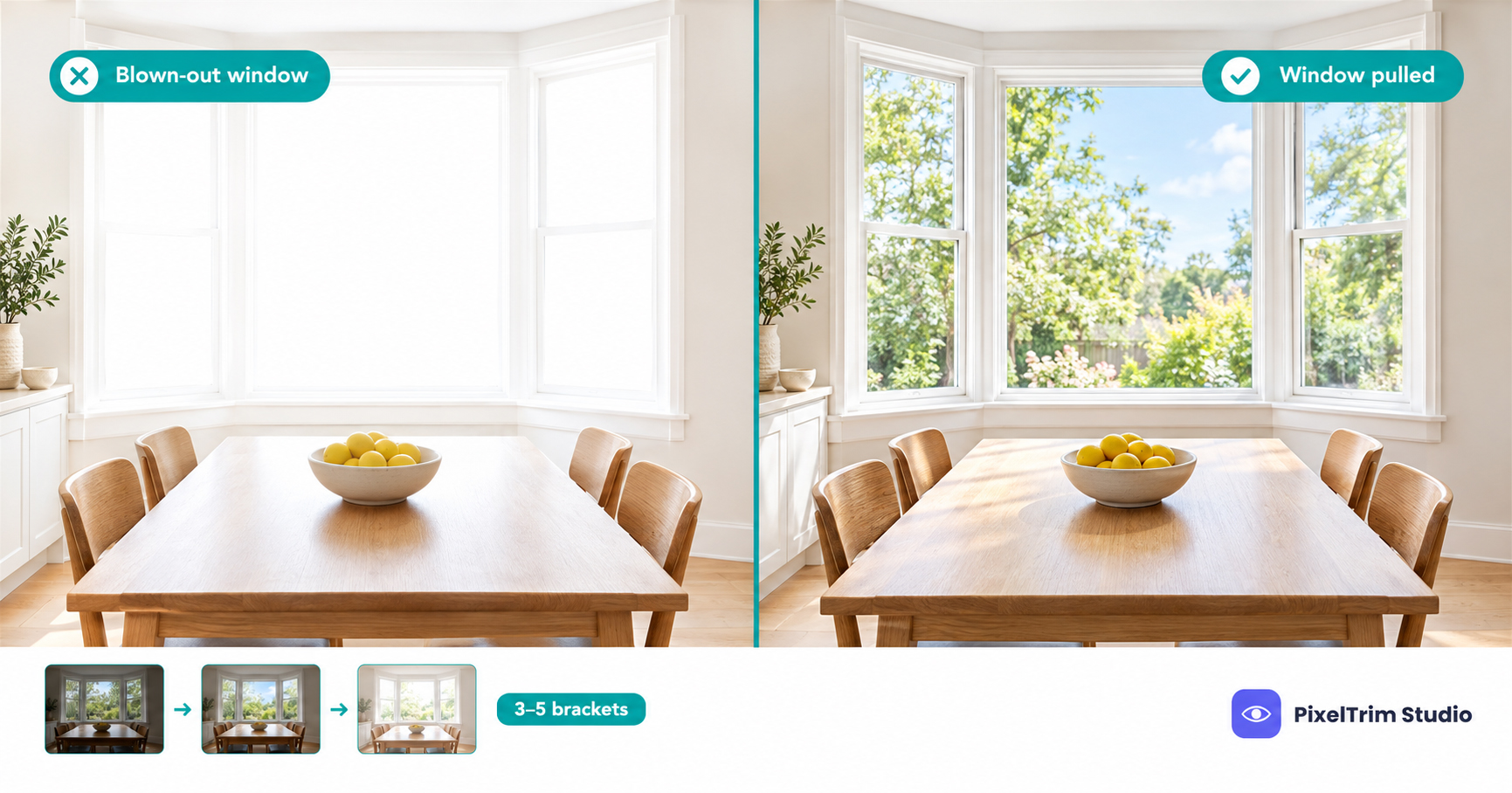
- Dark rooms, blown-out windows or a flat sky: our real estate photo editing service runs Basic HDR at $1.49 per image, Enhanced with sky replacement at $2.49 and Virtual Twilight at $4.99. For what each edit does, see our HDR, sky replacement and virtual twilight guide.
As a worked example, a 9-photo gallery, the top of Rightmove's 5 to 9 range, with Basic HDR is 9 x $1.49, so $13.41. Adding a resize and reformat pass to the 3:2 master on the same 9 files is 9 x $0.19, so $1.71, for $15.12 in total. For the full pricing picture, see our real estate photo editing cost guide.
Not sure your gallery would pass on both portals? Send 1-2 sample photos and we will edit them to spec, free.
FAQ
What size should photos be for Rightmove?
Rightmove's agent guide for new-homes listings names 1024 x 683 px as the ideal image size. It gives no minimum, file format or file-size cap in the pages we read. Export at 2048 x 1365 px in 3:2 and you clear that figure with room to spare.
What size does Zoopla want for listing photos?
Zoopla's help page for manual uploads gives 1024 x 768 px as the optimum landscape size, 645 x 430 px as the minimum, and 768 x 1024 px for portrait. It accepts JPG, GIF, BMP and PNG files up to 5 MB each.
Why does Zoopla list 1024 x 768 px and also ask for 3:2?
On the same page, 1024 x 768 px is a 4:3 shape, while the 3:2 note matches 1024 x 683 px. Zoopla does not say which one wins. Export 3:2 at a larger size and keep key details toward the middle of the frame.
How many photos should a Rightmove listing have?
Rightmove's guide says listings with 5 to 9 good images perform best and that the best photos should go first. That is Rightmove's own claim about performance, not a cap. We found no confirmed Rightmove photo limit, and a figure of 999 quoted in trade press is unverified.
Can I use the same photos on Rightmove and Zoopla?
Yes. One 3:2 JPEG at 2048 x 1365 px and under 5 MB clears every figure on both pages. Keep the unedited original as well, in case a portal or agency asks for it.
Can I edit listing photos for Rightmove and Zoopla?
Neither page we read sets editing rules. Fix exposure, colour and perspective, and do not change what is in or around the property. Check your agency and trade body rules too, because a listing photo should still match the home a buyer will see.
Tags
Ready to get your images edited?
Upload 2 photos for a free trial edit — returned in under 24 hours.
Start free trial →