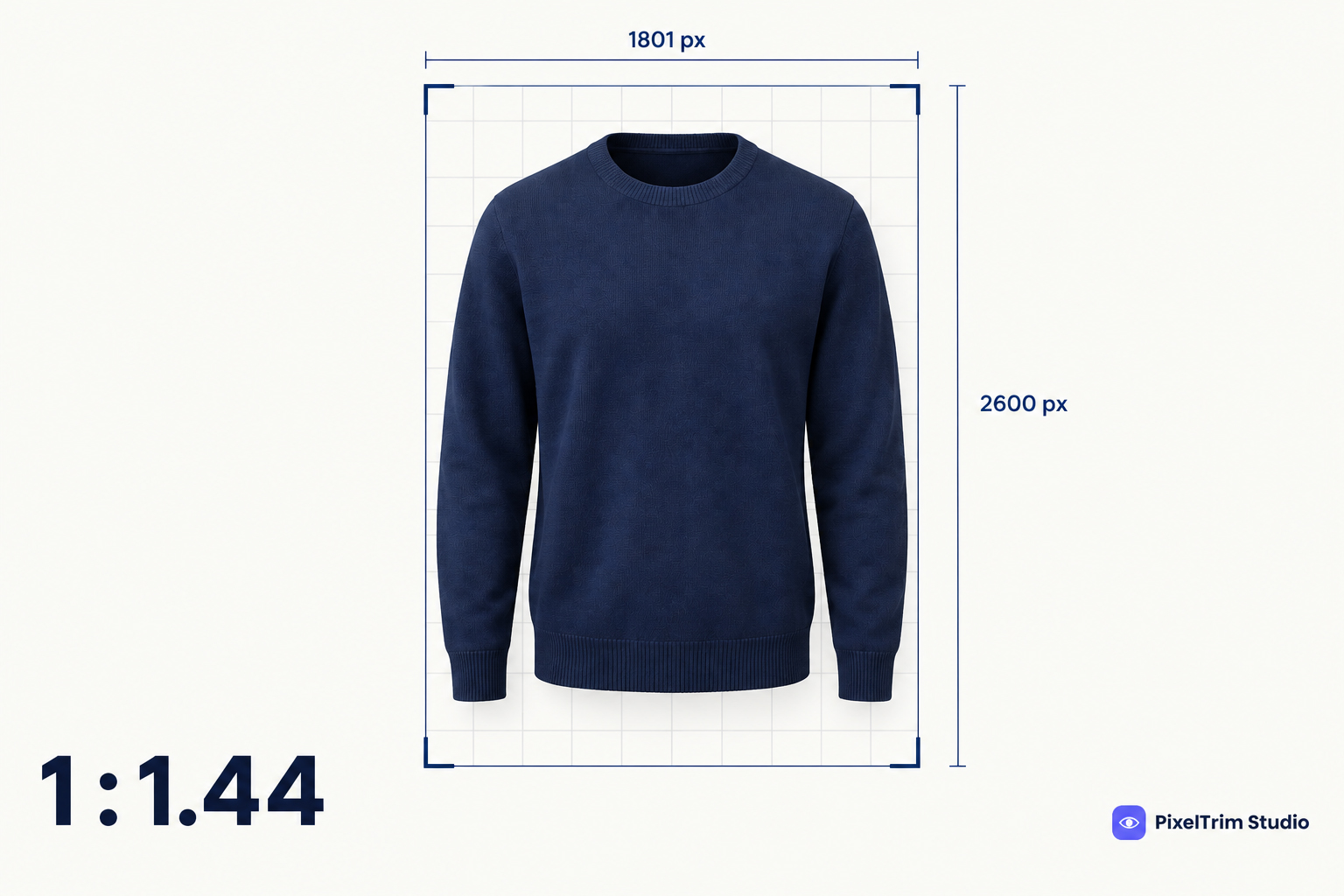
Most marketplace image guides assume a square photo on a white background. Zalando does not. Its partner guidelines ask for portrait JPEGs at a 1:1.44 ratio, treat white backgrounds differently for packshots and model views, and reject mandatory images that show a visible mannequin. A catalog exported for Amazon or TikTok Shop will often fail on the first upload.
This guide pulls the rules into one place: the technical specs, how many images each category needs, what a compliant packshot and model view look like, Zalando's AI-image rules and the retouching limits. It follows Zalando's own Partner University pages, which showed an update date of October 1, 2026 when we checked on October 3. Some Zalando help pages sit behind a partner login, and premium and designer assortments have their own guide, so check your account for category-specific changes before a large upload.
Zalando Technical Image Specs at a Glance
| Requirement | Zalando standard |
|---|---|
| Orientation and ratio | Portrait, 1:1.44 (width to height) |
| Best practice size | 1801 x 2600 px |
| Minimum size | 762 x 1100 px (designer brands: 1800 x 2600 px) |
| File type | JPG/JPEG only |
| Maximum file size | 20 MB |
| Color mode | sRGB |
| Sharpness | Must be high resolution at any size; a blurry image is rejected even if the file size is right |
The ratio is where most rejections start. Zalando's check rounds the ratio, so 1.445 or 1.446 becomes 1.45 and is flagged as incorrect. Cut your files to exact pixel sizes such as 1801 x 2600 rather than eyeballing a crop. A square export built for TikTok Shop's 1:1 main image, covered in our TikTok Shop image requirements guide, will not pass here.
How Many Images Zalando Requires by Category
| Category | Total compliant images | Required catalogue view |
|---|---|---|
| Apparel (including kids), accessories, shoes | 3 | Model front crop or primary packshot |
| Home | 2 | Primary packshot |
| Hosiery | 1 | Model front crop or primary packshot |
| Equipment, beauty, toys, electronics | 1 | Primary packshot |
Three terms matter here. The catalogue view is the first image shoppers see. A compliant view is an image that depicts the article accurately and counts toward the minimum. Additional views add storytelling, do not count toward the minimum, and may include English text, logos and black-and-white images.
Some articles have extra conditions. Multipacks need a primary packshot showing every item in the pack, reversible and 2-in-1 articles need views that show every style option, and electronics and toys need one image showing the CE label. Missing the minimum triggers ACS Reject Reason 117.
Packshots, Model Views and the No-Visible-Mannequin Rule
Zalando separates packshots (the product on its own) from model views (the product worn). The rules differ for each.
- Primary packshots need a white background. Zalando applies a light grey background to white packshots on its side. Packshots in a color from its background colour range are accepted only as additional views.
- Model views can use the background colour range or any setting. A white model view is accepted but cannot serve as the front crop.
- No visible mannequins in mandatory packshots or model views. This is ACS Reject Reason 123.
- No non-English text on primary views, and no duplicate images or unrelated products in the frame.
- Do not remove straps or inner back views on apparel packshots. Packaging is accepted only for accessories, jewellery, electronics and beauty.
- Catalogue views show the full product from the front or at a subtle angle. Footwear uses a full side profile, and maternity clothing uses a 45 degree angle with the belly facing left.
For garments, the accepted way to avoid a visible mannequin is an invisible mannequin shot or a flat lay. Zalando names both for articles that cannot be shown on child models, such as nightwear, underwear and beachwear. An invisible mannequin image is a ghost mannequin edit: the garment is shot on a mannequin and the mannequin is removed. Our ghost mannequin service guide explains what a good edit includes, and the same apparel question for another marketplace is covered in our Amazon apparel image requirements guide.
Frame Fill and Position
Zalando publishes packshot grid templates in PSD, PNG, SVG and JPEG. For apparel and shoes, the article should cover roughly 80% of the frame and sit centered both horizontally and vertically. For bags, the article is centered vertically in the lower third of the image. You do not need to apply the grid to every file by hand. Use it to calibrate your shoot and editing setup so the standard output already fits.
Zalando's Rules for AI-Generated Images
Zalando allows AI-generated content only if it meets the same quality bar as other images, and it can reject any asset that looks unnatural or misrepresents the product. Three problems are named as unacceptable:
- Inaccurate representation: textures, patterns, shapes or finishes that do not match reality, distorted logos or text, mispositioned buttons.
- Implausible setting: unrealistic lighting, wrong shadow angles, odd reflections or products out of scale with the environment.
- Inconsistent model appearance: airbrushed skin, unnatural teeth, or faces, bodies and skin tones that change across one image set.
On labelling, visible on-image labels such as text overlays and watermarks are not allowed. Zalando also asks sellers not to submit content that legally needs a visible label, which includes deepfakes and AI text on matters of public interest. For invisible marking, the guide says it strongly recommends embedding identifying data in the metadata or as an invisible watermark, and make sure the metadata survives upload. The same page lists invisible marking as required by December 2026, so treat it as mandatory and confirm the exact policy in your partner account. TikTok Shop and Etsy take a different approach to disclosure, which we compare in our TikTok Shop guide linked above.
What Retouching Zalando Allows
There are two sides to this. First, Zalando may retouch your images itself: positioning packshots to its grid, cropping to meet resolution and aspect ratio, and adjusting backgrounds to its colour range. It does not apply filters, change saturation or lighting, or remove props, and it avoids edits that change how the article actually looks.
Second, if you retouch model images, its post-production guide (last updated March 3, 2025) sets an "improve, don't cancel" standard:
- Leave natural features alone: birthmarks, hyperpigmentation, vitiligo, body hair, wrinkles, cellulite, a distinct hairline, tattoos, piercings and medical devices do not need retouching.
- Long-term conditions such as scars, stretch marks, acne and moles do not need to be removed either.
- Retouch temporary issues: non-permanent spots, pimples, bruises, cold sores and wounds should be retouched, and lighting and shadows should be adjusted for an even skin tone.
- Keep intimate areas discreet under non-transparent clothing, and make sure shoes fit the model's feet.
- Remove problematic content such as tattoos with weapons, sexualised imagery or aggressive symbolism.
For a retoucher, that means a brief that says what to keep, not only what to fix. Our image retouching service works to a written brief, so a Zalando-style "soften and match" instruction can be followed image by image.
What Editing for Zalando Costs
Most Zalando fixes fall into four jobs. These are PixelTrim Studio's current per-image rates:
| Job | Service | Price per image |
|---|---|---|
| Cutout to a clean white packshot | Clipping path | $0.39 simple, $0.69 medium, $0.99 complex |
| Invisible mannequin packshot | Ghost mannequin | $1.49 simple, $2.49 medium, $3.49 complex |
| Recut to 1:1.44, JPEG, sRGB | Image conversion | $0.19 basic (format and resize), $0.39 standard (adds color mode and profile embedding) |
| Model retouching | Image retouching | $0.79 basic, $1.99 standard (full skin retouching) |
As a worked example, take one plain t-shirt that needs the 3 compliant images Zalando requires for apparel. Three simple ghost mannequin edits cost about $4.47 (3 x $1.49), and recutting the three files to spec at the basic conversion rate adds about $0.57 (3 x $0.19), for roughly $5.04 per SKU. Hoodies, jackets and dresses sit in higher ghost mannequin tiers. Turnaround is 24 to 48 hours with one free revision round, and a flat lay or a bag may need a clipping path instead of a ghost mannequin edit.
Pre-Upload Checklist for Zalando
- Portrait JPEG at 1:1.44, ideally 1801 x 2600 px, in sRGB and under 20 MB
- Sharp at full size, with no upscaled or blurry files
- Minimum compliant image count met for the category, with a catalogue view
- Primary packshot on white, centered, with the article filling about 80% of the frame
- No visible mannequin in any packshot or model view
- Straps and inner back views left in place on apparel packshots
- No non-English text, duplicates or unrelated products on primary views
- AI images checked for distorted details, with no visible on-image AI labels
- Model retouching limited to temporary issues, with natural features kept
Not sure your apparel photos would pass? Send two sample images and we will edit them to Zalando's spec, free, through our ghost mannequin service page.
FAQ
What size should Zalando product images be?
Zalando asks for portrait JPEG images at a 1:1.44 aspect ratio. The best practice size is 1801 x 2600 px and the minimum is 762 x 1100 px, while designer brands have a 1800 x 2600 px minimum. Files can be up to 20 MB in sRGB, and a blurry image is rejected even when the file size is correct.
Can I use square images on Zalando?
No. Zalando specifies portrait format at 1:1.44, and the check rounds the ratio, so a value such as 1.445 or 1.446 is read as 1.45 and flagged as an incorrect aspect ratio. A square export made for another marketplace needs to be recut to portrait before upload.
Does Zalando allow mannequin photos?
Not visible ones. Visible mannequins are not allowed in mandatory packshots and model views, and they trigger ACS Reject Reason 123. An invisible mannequin (ghost mannequin) or a flat lay is the accepted way to show a garment without a model.
How many images does Zalando require per article?
Apparel, accessories and shoes need 3 compliant images in total, home articles need 2, and hosiery, equipment, beauty, toys and electronics need 1. Every article also needs a catalogue view, which is a primary packshot or, for some categories, a model front crop.
Does Zalando accept AI-generated product images?
Only if they are high quality and represent the product accurately. Zalando can reject AI images that look unnatural, show distorted textures, logos or text, use an implausible setting or show inconsistent models. Visible on-image AI labels such as text overlays are not allowed, and invisible marking in the file metadata or as a watermark is recommended, with Zalando listing it as required by December 2026.
Tags
Ready to get your images edited?
Upload 2 photos for a free trial edit — returned in under 24 hours.
Start free trial →

