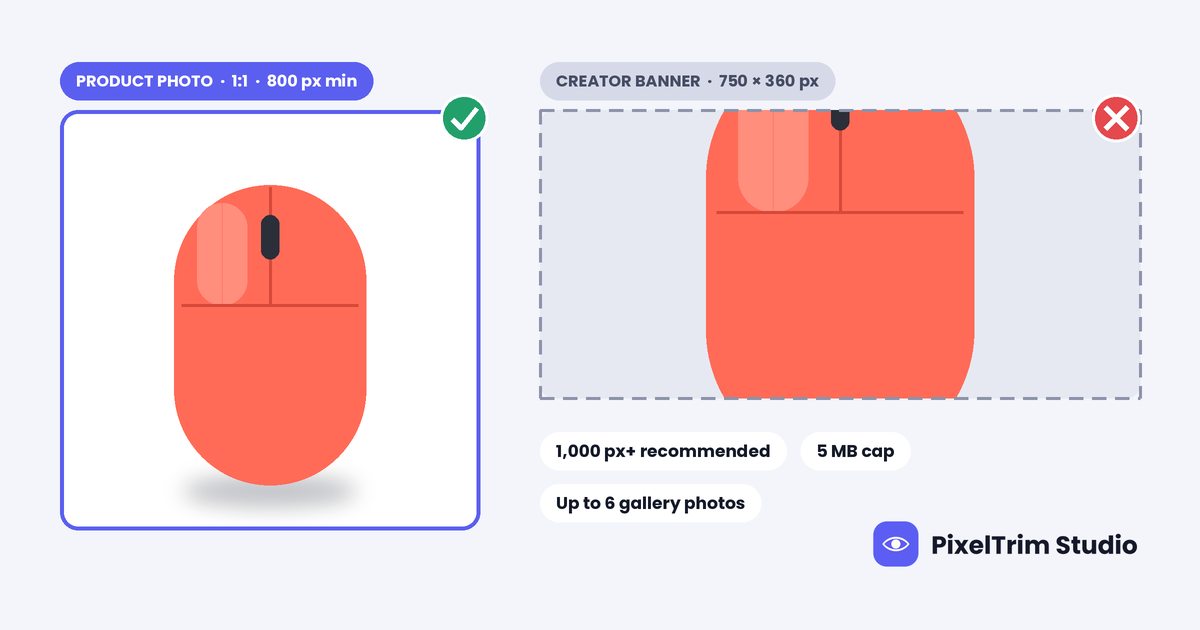
Search “AliExpress image size” and the numbers split three ways: 750 x 360 px, 800 x 800 px and 1,000 x 1,000 px or larger. The 750 x 360 px figure appears in a few product-photo guides, but the only matching source we found is a post-image rule for AliExpress creators, not a product listing rule. We could not find a public AliExpress seller page that states the product-image rules, so this guide labels every number by where it comes from and ends with one master spec that clears every version.
AliExpress Image Requirements at a Glance
| Requirement | What to follow | Where it comes from |
|---|---|---|
| File format | JPEG or PNG | Marketplace listing guide, studio guide, one blog |
| Main image size | 800 x 800 px minimum, 1,000 x 1,000 px or more recommended | Marketplace listing guide, studio guide, comparison table |
| Shape | Square 1:1 | Studio guide, comparison table |
| Largest size | Up to 2,000 x 2,000 px | One comparison table, plus a creator-post rule (see below) |
| File size | Up to 5 MB per image | Marketplace listing guide, comparison table, one blog |
| Images per listing | Up to 6 gallery images, the first is the main image | Marketplace listing guide, comparison table, studio guide |
| Main image background | Clean, preferably white | Listing guide says clean, studio guide says white or light neutral |
| Text, watermarks, logos | Keep them off the main image | Studio guide, no primary source found |
| Colour mode | sRGB | One studio guide |
| AliExpress’s own numbers | Not found on a public seller page | We could not open one |
AliExpress guidance can change by category and country, and guides often copy each other. Treat this table as a starting point and let the upload screen in your seller account have the final say.
The 750 x 360 px Figure Looks Like a Different Rule
One blog lists “min 750 x 360 px, max 2,000 x 2,000 px, best file size 5 MB, JPG or PNG” as AliExpress product photo requirements. A search result from an AliExpress Creator posting guide shows the same three numbers, but for the images in a creator post. That page returned a not-found error when we tried to open it, so we are relying on the search snippet and treat this as our reading, not a confirmed rule.
The shape also gives it away. 750 x 360 px is about 2.1:1, a wide banner, while every product guide we found describes a square main image. Do not size product photos to 750 x 360 px.
Where the Numbers Disagree
Five gaps cause most of the confusion:
- Minimum size. A marketplace listing guide, a studio guide and a comparison table all say 800 x 800 px minimum with 1,000 px or more recommended. The studio guide adds that 800 px is the zoom threshold, which we could not trace to AliExpress. Two AliExpress-hosted search and wiki pages, which read like general explainers rather than seller rules, quote 800, 1,000 and 1,080 px between them. Build to 1,000 px or more.
- File size. The listing guide and comparison table say 5 MB per image. One AliExpress-hosted page says up to 10 MB, and the studio guide suggests aiming for 0.2 to 2 MB. Export under 2 MB and every reading passes.
- Square or banner. The studio guide and comparison table say 1:1 for the main image. The 750 x 360 px figure implies a banner. Use 1:1 for products.
- How many images. Three guides say up to six gallery images, and the studio guide adds separate description images on top. Plan six product shots and treat description images as their own job.
- White or just clean. The listing guide says clean and preferably white, the studio guide says white or light neutral, and none of them cites an AliExpress document. Pure white is the safe choice.
One Master Spec That Clears Every Version
You do not have to settle the argument. Shoot and edit to the strictest reading of each number and every version is covered. The sizes below are our recommendation, not AliExpress values.
- Square 1:1 at 1,500 x 1,500 px. It clears the 800 px minimum, the 1,000 px recommendation and the 1,080 px figure, and it stays under the 2,000 px ceiling.
- Main image on pure white, RGB 255,255,255, with the product centred and fully in frame. No watermark, logo, text, price stamp, contact detail, border or collage.
- Export a JPEG in sRGB under 2 MB. That clears the 5 MB and 10 MB readings and sits inside the studio guide’s range. Check the file size as well as the pixels.
- Fill up to six gallery slots with the same square ratio: main image, two angles, a close-up, a scale shot and an in-use shot.
- Keep banners separate. If you also post to AliExpress creator or promo spaces, cut a wide version for that job instead of squeezing a product square into it.
- Run one test product through the upload screen before you export a whole catalog.
Reuse the Same Export on Other Cross-Border Marketplaces
AliExpress is looser than most cross-border marketplaces on file size, so the 1,500 px square under 2 MB is a good shared master. It clears the square size range and 3 MB cap in our Shein image requirements guide, the 800 px floor and 3 MB cap in our Temu image requirements guide, and the 1,000 px floor and 2 MB limit in our Meesho image requirements guide. Apparel on Shein and Temu uses a 3:4 portrait, so cut that version separately. If you also sell on Amazon, eBay, Walmart or Etsy, our four-marketplace comparison shows the larger square master those platforms prefer.
Fixing Photos That Fail Without a Reshoot
Most failed AliExpress photos come down to two jobs: a clean cutout on true white and a correct export.
- Busy, grey or off-white background: a clipping path cuts the product out and places it on true white. Pricing is $0.39 per image for simple products, $0.69 for medium and $0.99 for complex shapes.
- Wrong size, oversized file or wrong format: image conversion resizes and reformats a batch to spec from $0.19 per image, or $0.39 when a colour mode or DPI change is also needed.
As a worked example, take one simple product with a six-image gallery. A simple clipping path on the main image costs $0.39, and resizing and exporting all six files at the basic conversion rate adds $1.14 (6 x $0.19), for $1.53 per listing. Turnaround is 24 to 48 hours with one free revision round, and a combined quote is available for large batches.
Not sure your current AliExpress photos would pass? Send 1-2 sample images and we will edit them to spec, free.
Pre-Upload Checklist for AliExpress
- Square 1:1 files at 1,500 x 1,500 px, not 750 x 360 px
- JPEG in sRGB, each file under 2 MB
- Main image on pure white, product centred and fully visible
- No watermark, logo, text, price stamp, contact detail, border or collage on the main image
- Up to six gallery images in the same ratio, with angles, a close-up and a scale shot
- Photos you own or have the right to use, with no one else’s watermark edited out
- One test product checked on the upload screen before the full batch
FAQ
What size should AliExpress product images be?
Guides quote 800 x 800 px as the minimum and 1,000 x 1,000 px or larger as the recommended size, in a square 1:1 frame. We could not find a public AliExpress seller page that states the product-image rules, so check the upload screen before a big batch. A 1,500 x 1,500 px square clears every reading we found.
Does AliExpress require a white background?
We found no AliExpress document that states it. A listing guide says the main image should be clean and preferably white, and a studio guide says white or light neutral. Pure white (RGB 255,255,255) satisfies both readings.
How many images can I add to an AliExpress listing?
Three guides say up to six gallery images, with the first one used as the main image. A studio guide also mentions separate description images. Plan six product shots: a main image, angles, a close-up, a scale shot and an in-use shot.
What file format and file size does AliExpress accept?
Guides list JPEG and PNG, with a cap of 5 MB per image. One AliExpress-hosted page says up to 10 MB, and a studio guide suggests aiming for 0.2 to 2 MB. Export a JPEG in sRGB under 2 MB and every reading passes.
Is 750 x 360 px the AliExpress minimum image size?
Not for product photos, as far as we can tell. One blog lists it as a product photo rule, but a search result from an AliExpress Creator posting guide shows the same 750 x 360 px minimum for images in creator posts. The shape is a wide banner of about 2.1:1, while product guides describe a square. Size product photos to 1:1.
Can I use my supplier's photos on AliExpress?
Only if you have the right to use them. The guides we read say the main image should have no watermark, logo or promotional text, but we found no AliExpress rule on reused photos. Do not edit another seller's watermark out of photos you do not own. Ask your supplier for clean originals or shoot your own.
Tags
Ready to get your images edited?
Upload 2 photos for a free trial edit — returned in under 24 hours.
Start free trial →