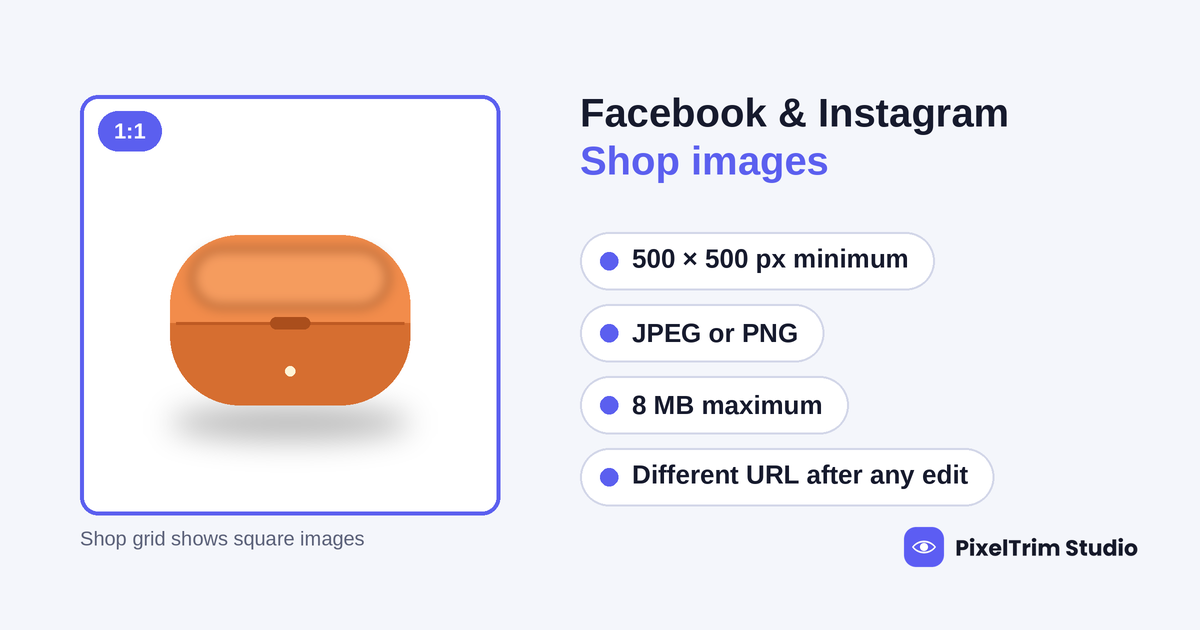
Facebook Shops and Instagram Shopping read from the same Meta catalog, and one field in that catalog decides how every product photo behaves: image_link. Meta's own documentation for that field asks for a main image of at least 500 x 500 px, in JPEG or PNG, up to 8 MB. The "ideal" sizes you see in size guides, such as 1,024, 1,080 or 1,200 px, do not come from that page. This guide separates what Meta states from what only guides claim, shows what happens to extra images and edited files, and lists the fixes that bring a catalog into line.
Quick Answer: What Meta States
These rows come from Meta's developer documentation for catalog fields, which we opened and read in full. Anything the page does not state is marked as such rather than guessed.
| Question | What Meta's field page says |
|---|---|
Main image (image_link) | JPEG or PNG, at least 500 x 500 px, up to 8 MB |
Extra images (additional_image_link) | Up to 50 URLs per product, following the same specifications as the main image |
| Changing an image later | The new image must use a different URL, or the change will not be recognized |
Video (video[0].url onward) | Up to 20 video fields per product, direct file links, up to 200 MB each |
| Recommended size, aspect ratio, background, text and watermark rules | Not stated on this page |
The field page points to a separate Business Help Center article for product image specifications. That article blocked our automated check, so every detail below that depends on it is labeled as reported by third-party guides, not confirmed by us.
Where Sources Disagree
Search for Facebook or Instagram shop image sizes and you will find numbers from several different surfaces mixed together: catalog images, ads, Stories and profile photos. Four points matter for a catalog:
- Recommended size. One feed-management guide gives 1,024 x 1,024 px with the 500 x 500 px floor, a second guide gives 1,080 px, and a social media size sheet gives 1,200 px and a 2,048 px maximum. Meta's field page states none of these. Our recommendation is 1,200 x 1,200 px, which satisfies all three.
- Number of extra images. The current developer page says up to 50 additional image URLs. An older copy of the same page that still shows up in search results, and some guides, say 20. Follow the live developer page.
- Aspect ratio. Guides that quote the Business Help Center say shop product images are displayed square. A community post quoting Facebook's help also lists a rectangular option with a lower minimum, which appears to belong to ad placements, not shop grids. Because we could not open the help page, treat 1:1 as the safe working target.
- Text, logos and watermarks. The field page is silent. A size guide warns that overlays and watermarks can be rejected in catalog review. Treat that as likely and keep main images clean.
Square Is the Safe Shape
If shop grids show products in a square, a tall or wide photo gets cropped to fit, and the crop is chosen by the platform, not by you. Our recommendation is to compose the main image as a square and keep the whole product inside the central 80% of the frame, so a small crop shift never cuts off a handle, strap or edge. For a rectangular source photo, extend the canvas rather than cropping into the product.
Extra Images and Edited Files
Each product can carry extra images through additional_image_link, and they follow the same specifications as the main image. That means a 500 x 500 px floor applies to them too, and a low-quality extra can drag down a product page as easily as a poor main image. Our recommendation is to export every image in a product's set at the same size and shape.
The second rule most sellers miss is about edits. Meta states that if you change an image, the new file needs a different URL, otherwise the change will not be recognized. Re-uploading a corrected photo under the same file name may leave the old version showing in the shop. Give edited files new names, such as adding -v2 before the extension, and update the feed.
AI-Generated Images
Third-party summaries say Meta asks for an AI label on AI-generated or substantially AI-modified ad creative, and routine editing of a real photograph, such as a cutout or color fix, creates no synthetic content. Our AI image disclosure rules guide compares how Amazon, Etsy, TikTok Shop, Google and Meta handle the same question.
Meta vs Google vs Pinterest Catalogs
All three catalogs use the same image_link and additional_image_link field names, so one feed often serves several channels. The size floors differ, though:
| Platform | Stated minimum | Notes |
|---|---|---|
| Facebook and Instagram Shops (Meta catalog) | 500 x 500 px | JPEG or PNG, 8 MB cap; square display reported by guides |
| Google Shopping | 500 x 500 px | Covered in our Google Shopping image requirements guide |
| Pinterest catalog | 1000 x 1500 px | Portrait shape; see our Pinterest product pin image requirements guide |
A feed built to Pinterest's portrait minimum passes Meta's size test on paper but will be cropped in a square grid, and a square 1,200 px feed passes Meta and Google but falls short for Pinterest. If you run all three channels, keep a square master and a separate portrait export.
How to Fix a Catalog for Facebook and Instagram Shops
- Audit the feed. List every
image_linkandadditional_image_linkand flag files under 500 x 500 px, over 8 MB, or in any format other than JPEG or PNG. - Do not upscale small files. A 400 x 400 px photo stretched to 1,200 px is still 400 x 400 px underneath. Start from the original high-resolution photo.
- Recompose to a square. Extend the canvas around the product so a portrait or landscape shot becomes 1:1 without cutting off edges.
- Clean the background. A real cutout on white or a plain solid color keeps the product as the only subject. Meta does not require white, but our pure white background guide shows how to check a true white if you want one.
- Convert to JPEG or PNG. TIFF, WebP and PSD exports need converting, and files near 8 MB should be compressed without visible loss.
- Re-upload under new URLs. Give corrected files new names and update the feed so Meta recognizes the change.
Pre-Upload Checklist
- Main image at least 500 x 500 px, with 1,200 x 1,200 px as the working target
- JPEG or PNG only, each file under 8 MB
- Square 1:1 composition with the product inside the central 80%
- Product alone in the main image, with no text callouts, badges, logos or watermarks
- Extra images exported at the same size and shape as the main image
- New file names for any image edited after a previous upload
- One real photograph of the actual product in every listing
Where Manual Editing Fits
Most of the fixes above are batch jobs. PixelTrim Studio's clipping path service is drawn by hand with the pen tool and costs $0.39 per image for simple shapes, $0.69 for medium and $0.99 for complex, with 24-48 hour delivery and one free revision. The image conversion service handles resizing to your spec sheet and format changes from $0.19 per image, or $0.39 per image when color mode, DPI change and a verification pass are included. Want to see it on your own photos? Upload 2 images for a free trial edit and compare the result before you commit to a full catalog.
FAQ
What is the minimum image size for a Facebook or Instagram Shop?
Meta's catalog field documentation asks for a main image of at least 500 x 500 pixels, in JPEG or PNG format, up to 8 MB. Guides that quote 1,024, 1,080 or 1,200 px are describing recommended sizes, not the minimum.
What image size is best for a Meta catalog?
Meta's field page gives no recommended size. Third-party guides quote anything from 1,024 to 1,200 px. A 1,200 x 1,200 px square JPEG clears all three common figures and stays far below the 8 MB cap.
Do Facebook and Instagram Shop images have to be square?
The catalog field page does not state an aspect ratio. Guides that cite Meta's Business Help Center report that shop product images are shown square (1:1), so a square file avoids unexpected cropping. We could not open that help page ourselves.
How many extra images can a product have in a Meta catalog?
The current developer page lists up to 50 additional image URLs per product, each following the same specifications as the main image. Some older guides still say 20, so use the developer page as the reference.
Can I replace a catalog image at the same URL?
Not reliably. Meta states that a changed image must use a different URL or the change will not be recognized. Upload the corrected file under a new file name and update the feed.
Do Meta catalog images need a white background?
Meta's field page does not require one. Third-party guides advise a clean main image with no text overlays, logos or watermarks, because those can be rejected in catalog review. A clean cutout on white or a plain solid color keeps you inside that advice.
Tags
Ready to get your images edited?
Upload 2 photos for a free trial edit — returned in under 24 hours.
Start free trial →

