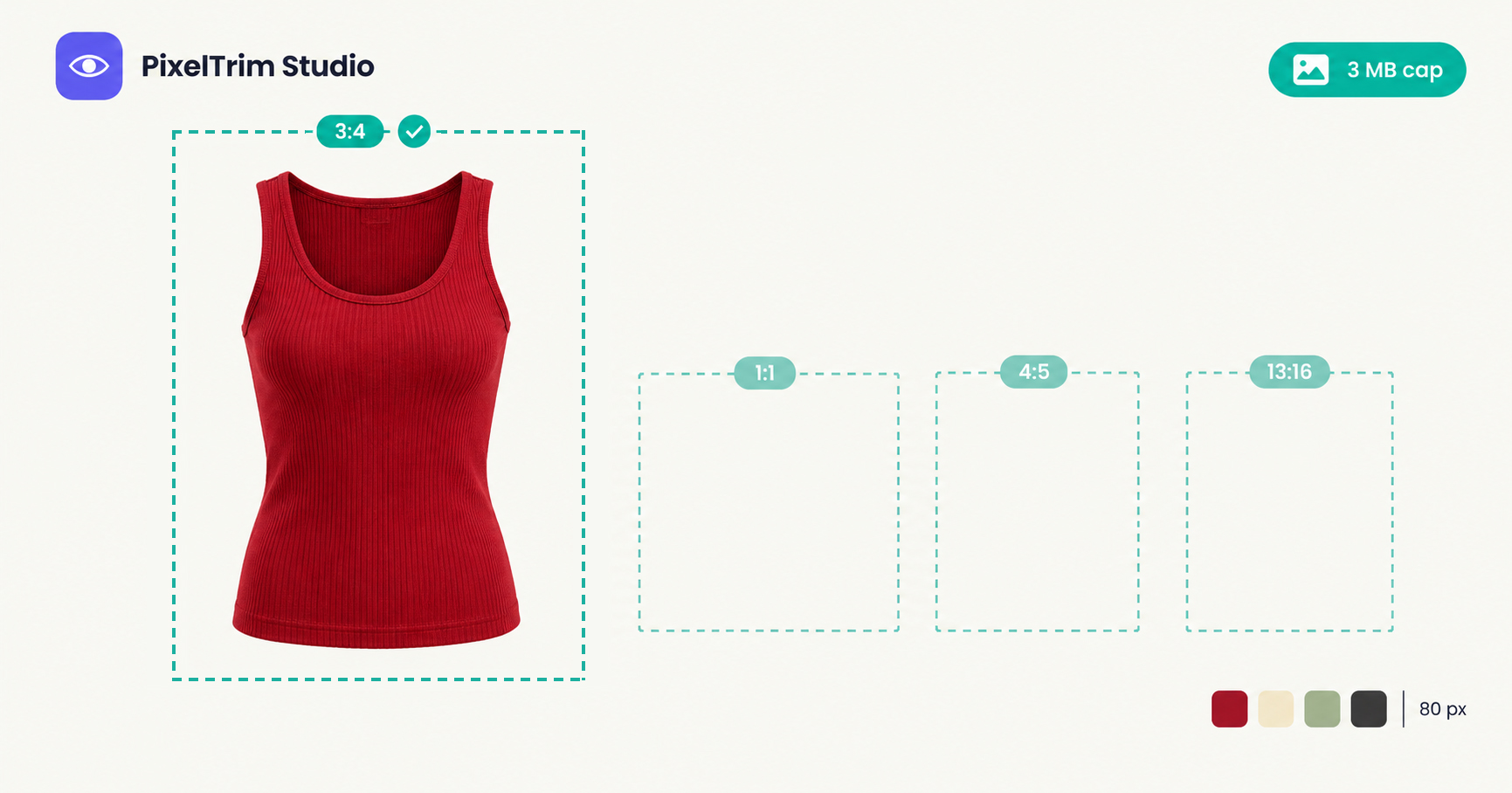
Search "Shein image size" and the numbers do not agree. One guide gives two exact sizes, another gives a range, and a third calls the same portrait figure a ceiling. Four ratios are accepted, so there is no single answer for apparel and accessories. Shein's own Seller Center rules sit behind a seller login, so we could not open them. This guide labels every number by where it comes from, so you know which ones to trust and which to check on the upload screen.
Shein Image Requirements at a Glance
| Requirement | What to follow | Where it comes from |
|---|---|---|
| File format | JPG, JPEG or PNG | Marketplace integration guide, third-party seller guides |
| File size | Under 3 MB per image | Marketplace integration guide, third-party seller guides |
| Accepted ratios | 1:1, 3:4, 4:5 or 13:16 | Marketplace integration guide, one seller blog |
| Square size | 900 x 900 px up to 2200 x 2200 px | Integration guide, two seller blogs |
| Portrait size | Around 1340 x 1785 px for 3:4 | Two seller blogs |
| Colour swatch image | 80 x 80 px | Integration guide, one seller blog |
| Colour mode | sRGB | One seller blog |
| Main image background | Clean white or light neutral, no watermark, text or collage | Third-party guides, no primary source found |
| Images per listing | A main image plus extra images, with the count varying by tool | Integration guide and a listing-tool help page, they differ |
Shein's guidance can change by category and country site, and tools that connect to Shein often copy each other's numbers. Treat this table as a starting point and let the live upload screen in Seller Center have the final say.
The Four Ratios and When to Use Each
Most marketplace guides assume one square image. Shein is different: the integration guide and one seller blog list four accepted ratios, and a listing-tool guide describes separate image types for the first image, detail images, a square image and a colour sample. That gives you a choice.
- 3:4 portrait is the natural fit for apparel. It shows a full garment without wasting side space, and 1340 x 1785 px is the portrait size the seller blogs repeat.
- 4:5 and 13:16 are taller or shorter portrait options. Pick one only if your catalog is already shot that way, because mixing ratios inside a listing makes the gallery look uneven.
- 1:1 square suits accessories, jewellery, home and beauty products, and it is the format most other marketplaces expect.
One seller guide recommends keeping image sizes consistent across a listing. We could not trace that to a Shein rule, but it is a sensible habit: choose one ratio per product and stick to it.
Where the Numbers Disagree
Five gaps cause most of the confusion:
- Two sizes or a range? The integration guide lists a square as either 900 x 900 px or 2200 x 2200 px. Two seller blogs describe everything from 900 px to 2200 px as acceptable. A file between the two sizes, such as 2000 x 2000 px, falls inside the range reading, so it is the safer middle.
- Is 1340 x 1785 px a ceiling or a target? One blog says portrait images go up to 1340 x 1785 px, another calls it the recommended size, and the integration guide quotes a tall 900 x 2200 px figure. Do not go larger than 1340 x 1785 px on a 3:4 portrait unless the upload screen asks for it. Our Temu image requirements guide lists the same 1340 x 1785 px figure as an apparel minimum, so one portrait export can serve both marketplaces.
- How many images? The integration guide maps a main image plus extra images numbered 1 to 9. A listing-tool help page mentions two to eleven detail images. The count depends on the tool and category, so confirm it in Seller Center.
- White or neutral? Guides say the main image should be clean white or light neutral and free of watermarks, price stamps and collages, but none of them cites a Shein document. Pure white is the safe choice.
- The "30% AI model rule." Two posts from one AI tool vendor mention it and describe it differently, one as a human-presence check and one as a cap on AI model images. Neither cites a Shein document, so treat it as unverified. Our AI image disclosure guide sorts the labelling rules we could confirm.
One Master Spec That Clears Every Version
You do not have to settle the argument. Shoot and edit to the strictest reading of each number and every version is covered.
- Apparel: 3:4 portrait at 1340 x 1785 px. It matches the figure the seller blogs share and does not exceed the "up to" reading.
- Accessories, home and beauty: 1:1 square at 2000 x 2000 px. It sits inside the 900 to 2200 px range.
- One ratio per listing. Keep the main image and every extra image in the same ratio.
- Colour swatches at 80 x 80 px if your category uses a colour block image.
- Main image on pure white, RGB 255,255,255. It satisfies both the white and the light neutral readings, with no watermark, text, border or collage.
- Export JPG or PNG in sRGB under 3 MB. Check the file size as well as the pixels, because a large PNG can break the cap.
A portrait master built for Shein will not pass on Zalando, which asks for a 1:1.44 ratio. Our Zalando image requirements guide covers that recut.
Fixing Photos That Fail Without a Reshoot
Most failed Shein uploads come down to three jobs: a clean cutout, an invisible mannequin shot for apparel, and a correct export.
- Busy, grey or off-white background: a clipping path cuts the product out and places it on true white. Pricing is $0.39 per image for simple products, $0.69 for medium and $0.99 for complex shapes.
- Visible mannequin or a flat garment: a ghost mannequin edit removes the mannequin and blends the collar and interior. Pricing is $1.49 per image for simple tops, $2.49 for medium garments and $3.49 for complex ones.
- Wrong ratio, size or file type: image conversion resizes and reformats a batch to spec from $0.19 per image, or $0.39 when a colour mode or profile change is also needed.
As a worked example, take one plain t-shirt with four images. Two simple ghost mannequin edits for the front and back cost $2.98 (2 x $1.49), and recutting all four files to 3:4 at the basic conversion rate adds $0.76 (4 x $0.19), for $3.74 per SKU. Turnaround is 24 to 48 hours with one free revision round, and accessories that need a cutout rather than a mannequin edit are cheaper.
Not sure your current Shein photos would pass? Send 1-2 sample images and we will edit them to spec, free.
Pre-Upload Checklist for Shein
- One ratio per listing: 3:4 portrait for apparel, 1:1 square for other products
- Portrait files at 1340 x 1785 px or square files at 2000 x 2000 px
- JPG or PNG in sRGB, each file under 3 MB
- Main image on pure white, product centered and fully visible
- No watermark, price stamp, text overlay or collage on the main image
- Colour swatch images at 80 x 80 px where the category asks for them
- No visible mannequin on apparel shots
- Image count checked against the Seller Center upload screen
- Real photography on the main image, with generated people checked against the platform's current rules
FAQ
What size should Shein product images be?
Shein guides quote 900 x 900 px up to 2200 x 2200 px for square images and around 1340 x 1785 px for 3:4 portrait images. Shein's own Seller Center rules sit behind a seller login and we could not open them, so check the upload screen before a big batch. A 3:4 portrait at 1340 x 1785 px or a 2000 x 2000 px square sits inside the ranges the seller blogs quote.
What aspect ratios does Shein accept?
Two guides list four ratios: 1:1 square, 3:4, 4:5 and 13:16 portrait. Apparel sellers usually pick 3:4 portrait, while accessories, home and beauty products fit the square.
Does Shein require a white background?
We found no primary Shein document that states it. Third-party guides say the main image should be clean white or light neutral, with no watermark, text or collage. Pure white (RGB 255,255,255) satisfies both readings.
What file format and file size does Shein accept?
Four guides list JPG, JPEG and PNG files under 3 MB per image. Check the exported file size, not only the pixel dimensions, because a large PNG can pass the size rule and still exceed 3 MB.
Does Shein allow AI-generated model images?
We could not confirm a rule from a Shein document. Two posts from one AI tool vendor mention a 30 percent AI model rule but describe it differently, so treat it as unverified. The safest approach is real photography for the main image and a disclosure check for any generated people.
Tags
Ready to get your images edited?
Upload 2 photos for a free trial edit — returned in under 24 hours.
Start free trial →

