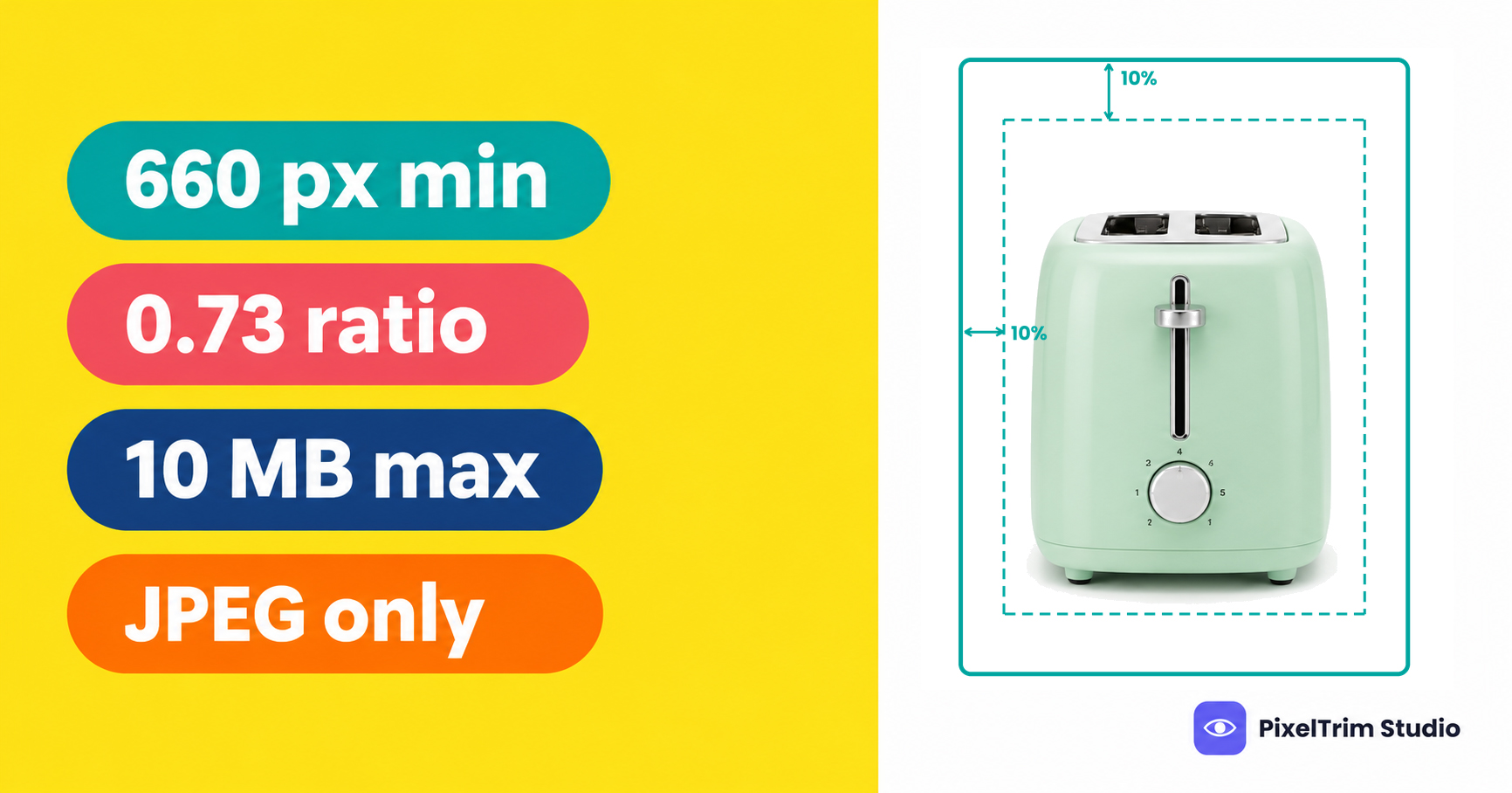
Noon sells across the UAE, Saudi Arabia and Egypt, and its image rules sit inside the Seller Help Center rather than in one clean spec sheet. The short version is easy: JPEG files only, at least 660 px wide, under 10 MB, with a pure white main image. The part that trips sellers is that two Noon-hosted copies of the guideline do not state the same minimum size or aspect ratio, and the margin rule contradicts itself on the same page.
This guide puts the rules in one place, flags where the pages disagree, shows what a compliant main image looks like and prices the editing jobs that usually fix a failing set. The figures follow the Seller Help Center article on image requirements and rejection reasons at the time of our latest check. We read one copy in full. A second Noon-hosted copy was visible only as a search result, so we label it that way below. Confirm anything borderline on your Seller Lab upload screen before a large batch.
Noon Image Specs at a Glance
| Requirement | Noon guideline |
|---|---|
| File type | JPEG or JPG only |
| Minimum width | At least 660 px |
| Aspect ratio (width to height) | 0.5 or higher on the page we read in full; 0.73 on the other copy (see below) |
| Resolution | 72 PPI or higher |
| Color mode | RGB / sRGB |
| Maximum file size | 10 MB |
| Images per product | A minimum of 3 high-quality images is recommended |
| Margin | 10% on top and bottom, 5% on left and right, depending on how the product is shot |
Two details matter before you resize anything. First, JPEG or JPG is the only accepted type, so a transparent PNG cutout has to be flattened onto a solid background and exported as JPEG. Second, the 72 PPI figure is a metadata value, not a pixel count. It will not rescue a small file, so check the pixel width first.
Where Two Noon Pages Disagree
| Item | Page we read in full | Other Noon-hosted copy (search result only) |
|---|---|---|
| Minimum size | Width of at least 660 px | At least 660 x 900 px |
| Aspect ratio | Width by height of 0.5 or higher | A ratio of 0.73 |
The two lines are not the same rule. A 660 x 900 px file works out to a ratio of about 0.73, so the second copy describes a portrait rectangle that is slightly narrower than 3:4. The first copy is looser and would accept a much taller, thinner file. We cannot tell from the public pages which wording Noon currently enforces, and the article is not dated on the page.
The safe move is to build one file that passes both readings. A 1,320 x 1,800 px JPEG is exactly double the 660 x 900 px minimum, has a ratio of about 0.73 and clears the 0.5 floor. That size is our recommendation, not a Noon number. It is also well above 660 px, so the zoom view stays sharp. For comparison, Zalando fixes its portrait ratio at 1:1.44, as we explain in our Zalando image requirements guide, and Noon is looser than that.
The margin rule has its own wrinkle. The main line says a vertical shot needs 10% empty space on the top and bottom and a horizontal shot needs 5% on the left and right. The note under it says the opposite, that vertical shots keep left and right margins and horizontal shots keep top and bottom margins. If you are unsure, leave at least 10% of empty space on all four sides. On a 1,320 x 1,800 px canvas that is about 132 px at the sides and 180 px at the top and bottom. This is our suggestion, not a Noon instruction.
What a Compliant Noon Main Image Looks Like
The first image is the one shoppers see in search and on the product page, so Noon is strictest here.
| Allowed on the main image | Not allowed on the main image |
|---|---|
| A front view of the whole product | A cropped or half image that hides part of the product |
| A pure white background (light grey is recommended for fashion) | A lifestyle image or an unclear, tinted background |
| Light, believable shadows | Hard shadows or hard reflections |
| The product out of its packaging | Boxes, bags, cases, brand tags or swing tags |
| The full bundle, when you sell a bundle | Multiple views of one product in the same image |
| A front and back combo for smartphones and tablets | Watermarks, seller names, logos or borders |
| Trust symbols such as Energy Star, as shown in Noon's own examples | Price, warranty, manufacturing date or expiry date information |
Noon says "pure white" but does not print an RGB value. We read it as 255, 255, 255, which is the safest interpretation, and the color-picker check in our pure white background guide works the same way for Noon. The shadow rule is where studio shots usually fail. A faint shadow under the product is fine, but a hard shadow or a mirror-style reflection is not, so a clean cutout on flat white with an optional soft shadow is the reliable route.
Fashion, Apparel and Kids
- Fashion main images: light grey is the recommended background instead of white. Noon gives no hex value, so confirm the exact shade on your Seller Lab upload screen before you edit a batch.
- Adult apparel: model shots are recommended over flat lay or hanger shots, except for swimwear and underwear.
- Kids apparel: flat lay shots or products on hangers are recommended.
Building the Rest of the Image Set
Noon recommends at least 3 images that show different angles, sizes, textures and fabrics. It also lists a sequence: front view, back view, side view, other angles, details, then usage. Keep the front view first, because a main image that is not a front view is a named rejection reason.
- Match the listing. Images must agree with the product title and description and show only the item for sale.
- Photographs only. CAD drawings, thumbnails and illustrations are not allowed.
- No extras. Do not show accessories that are not included, and keep logos, watermarks and unwanted text or objects out of the frame.
- Fill the frame. Products need to cover roughly 70 to 80% of the image. Noon states this for the additional images, and it sits comfortably inside a 10% margin.
- No placeholders. "Image coming soon" and similar stand-ins are rejected, and duplicate images on the same product are not accepted.
Uploading With Google Drive Links
Noon lets sellers paste Google Drive links into the image URL columns of its product template, as long as the file is shared with "Anyone with the link". The help page warns that this route does not fix the aspect ratio or density for you, so the files must already meet the specs before you generate the link.
A+ Content Banners
Noon also supports image banners as A+ Content on the product page, with up to 10 banners per product and up to 10 MB per image. Each banner is validated on upload against Noon's dimension and aspect ratio standards. We did not find the banner pixel sizes in the pages we read, so take them from the upload screen rather than from this guide.
What Fixing a Noon Set Costs
Most failing sets need two or three jobs: a clean cutout on white, a light shadow so the product does not float, and a recut to the right size, format and color mode. These are PixelTrim Studio's current per-image rates:
| Job | Service | Price per image |
|---|---|---|
| Cutout to flat white | Clipping path | $0.39 simple, $0.69 medium, $0.99 complex |
| Light shadow on the main image | Image shadow | $0.49 drop shadow, $0.89 natural shadow |
| Recut to size, JPEG and sRGB | Image conversion | $0.19 basic (format and resize), $0.39 standard (adds color mode, DPI and profile embedding) |
Our shadow service also offers a reflection shadow at $1.29 per image. Because Noon rejects hard reflections on the main image, keep that style for additional images and use a drop or natural shadow on the first one.
As a worked example, take one product with the 3 images Noon recommends. The main image gets a simple cutout and a drop shadow ($0.39 + $0.49 = $0.88), and all 3 files get a basic conversion to JPEG at the right size (3 x $0.19 = $0.57). That comes to about $1.45 per product. If all 3 images need a simple cutout, the cutouts cost $1.17 (3 x $0.39) and the total is about $1.74. Intricate shapes such as jewelry, footwear and furniture sit in the complex cutout tier.
Resizing cannot create detail that was never captured. If your original file is narrower than 660 px, a conversion job can scale it, but the result will look soft and a reshoot is the better fix. Turnaround is 24 to 48 hours with one free revision round.
If the same files also feed a European marketplace, our Kaufland image requirements guide shows how that platform handles size, shadows and alt text, so you can plan one export that covers both.
Pre-Upload Checklist for Noon
- JPEG or JPG file in RGB / sRGB, under 10 MB
- At least 660 px wide, ideally 1,320 x 1,800 px so both Noon readings pass
- Front view first, whole product visible, nothing cropped
- Pure white background (light grey for fashion), no border
- Only a light shadow, with no hard shadow or hard reflection
- No packaging, tags, watermark, seller name, logo, price, warranty or date text on the main image
- At least 3 images in the order front, back, side, other angles, details, usage
- Additional images are photographs that cover roughly 70 to 80% of the frame
- Files meet the specs before you create a Google Drive link
Not sure your photos would pass? Send two sample images and we will edit them to these specs, free, through our clipping path service page.
FAQ
What size should Noon product images be?
The Noon Seller Help Center page we read in full asks for a JPEG or JPG at least 660 px wide with a width-to-height ratio of 0.5 or higher, at 72 PPI or more, in sRGB and under 10 MB. Another Noon-hosted copy states at least 660 x 900 px at a ratio of 0.73. A 1,320 x 1,800 px file satisfies both.
Does Noon require a white background?
Yes for the primary image. Noon asks for a pure white background in all categories except fashion, where light grey is the recommended background. Lifestyle images are not allowed as the primary image, but they can be used as additional images.
Does Noon accept PNG images?
No. The guideline says images must be submitted in JPEG or JPG format only. A transparent PNG cutout needs to be flattened onto a solid background and exported as a JPEG before upload.
How many images does Noon recommend per product?
Noon recommends at least 3 high-quality images showing different angles, sizes and textures. It lists the order as front view, back view, side view, other angles, details and usage, and the first image must be a front view of the product.
Does Noon allow shadows on the main image?
Only light, believable shadows. Noon says hard shadows and hard reflections should be eliminated from the primary image, so a clean cutout on pure white with a soft shadow is the safe approach.
Tags
Ready to get your images edited?
Upload 2 photos for a free trial edit — returned in under 24 hours.
Start free trial →

