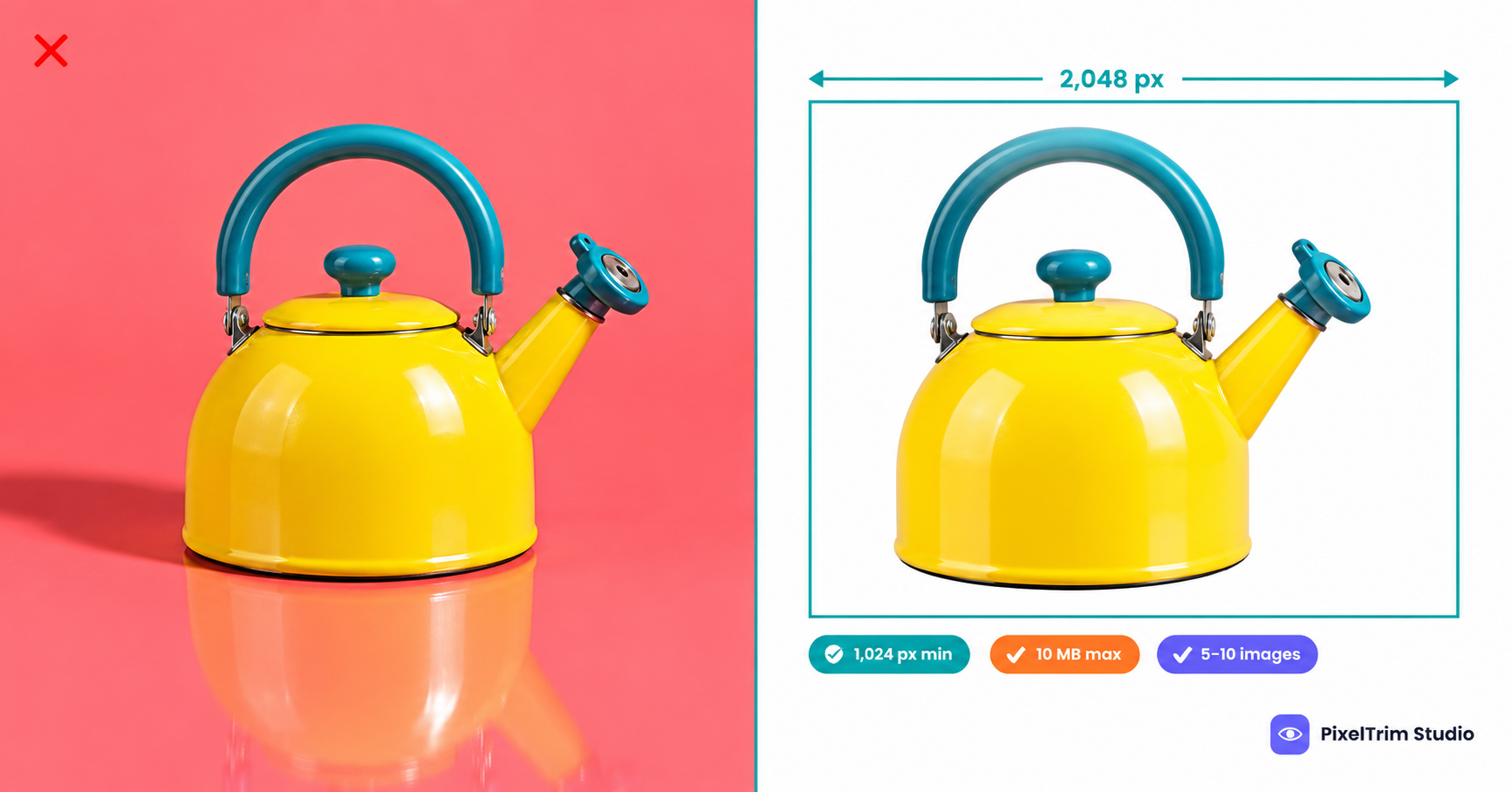
Kaufland sells in several countries from one seller account, and its image rules sit inside a long Product Data Guideline that mixes photo specs with titles, descriptions and EU compliance. If you only need the photo rules, they are short: a white-background first image, 5 to 10 pictures in total, a 1024 px recommended minimum and alt text on every image. The part that trips sellers is the detail, such as what counts as a shadow, what the zoom size really means and which numbers are recommendations rather than hard limits.
This guide pulls those rules into one place, shows what a compliant main image looks like, and prices the editing jobs that usually fix a failing set. The figures follow Kaufland Global Marketplace's Seller University guideline at the time of our latest check. Category-specific attributes and legal fields have their own pages, so confirm anything outside the images in your Seller Portal before a large upload.
Kaufland Image Specs at a Glance
| Requirement | Kaufland guideline |
|---|---|
| Standard size | At least 1024 px on the height or width |
| Zoom size | At least 2048 px on the height or width |
| Number of images | 5 to 10, from different perspectives, including detail shots |
| Maximum file size | 10 MB |
| File formats | PNG, JPG, JPEG, WEBP, TIFF, GIF |
| First image | Whole product on a white background with a clear silhouette |
| Alt text | Required for product images (legal requirement) |
Two details matter before you resize anything. First, Kaufland lists the pixel sizes under recommended image sizes, and says it recommends 2048 px for every image so that shoppers can use the zoom function. Treat 1024 px as the floor, not the target. Second, the page gives no required aspect ratio. That is different from Zalando, which asks for portrait files at a fixed 1:1.44 ratio, as we explain in our Zalando image requirements guide.
Kaufland also notes that its product images are passed to other marketing channels. It cites 1200 x 1200 px as a common social media minimum and a 1440 px minimum width for clothing on Google Shopping. Google's own current numbers are in our Google Shopping image requirements guide, so check both if the same files feed several channels.
These sizes are missed often. A product photography studio in Poland, marszalstudio, reviewed 1,841 product pages on kaufland.de and kaufland.pl and reported that 433 main images, or 23.5%, were smaller than 1024 px. That is a third-party count rather than a Kaufland statistic, but it shows how easy the minimum is to overlook.
What a Compliant Kaufland Main Image Looks Like
The first image is the one shoppers see in search and on the product page, so Kaufland's rules are strictest here.
| Allowed on the main image | Not allowed on the main image |
|---|---|
| The whole product, shown in full | A collage of several images |
| A white background with a clear silhouette | Shadows, frames or white space |
| Only the product and accessories included in the delivery | Text, logos, symbols or flags |
| A neutral product photo | Delivery information, price information or sale lettering |
| Detail views and extra angles, but only in the additional images | A snapshot, a placeholder photo or official seals |
Kaufland's own examples of poor images include packaging shown on the main image and shipping logos, so keep the box out of the frame. The guideline also says no frames or white space, but it publishes no fill percentage. Some third-party checklists suggest about 85%, which is their recommendation, not a Kaufland number. In practice, crop the product to sit large and centered in the frame.
The shadow rule is where most studio shots fail. Kaufland does not define the word, so treat natural shadows, drop shadows, reflections and any faint gray gradient under the product as shadows. The reliable fix is a clean cutout placed on flat white. Our pure white background guide shows how to check a background with a color picker, and the same check works for Kaufland.
Building the Rest of the Image Set
- 5 to 10 pictures from different perspectives, with detail shots of features a shopper would want to inspect.
- Delivery scope only. Photograph only the product and accessories that are included in the delivery.
- Variants need their own first image. Kaufland's example of a poor variant setup is a colour variant group with no individual product photo in the first position, so the colours are not visible at a glance.
- Rich content follows the same rules. Kaufland says its image rules apply without restriction to rich content too.
One more detail helps you decide where to spend editing budget. Kaufland builds one product page per EAN. If a complete page already exists for your item, you only need the EAN and your offer details, and the page's existing images are shown. Your own photos matter most when you create a new product page.
The Alt Text Rule
Kaufland states that adding alternative text (alt text) to product images is a legal requirement. There are two ways to do it:
- In a product feed: add a
picture.alt_textcolumn next to thepicture.urlcolumn in the CSV template. - In the Seller Portal: open the offer, hover over an uploaded image and use the pencil icon to enter the text.
Write a plain description of what the image shows, such as the product, its colour and the angle. Using the language of the storefront you sell on is a sensible habit, though that part is our suggestion rather than a Kaufland instruction.
Product Video Specs
| Video requirement | Kaufland guideline |
|---|---|
| Format and encoding | MP4, H.264 |
| Recommended length | 15 to 60 seconds (maximum 180 seconds) |
| Maximum file size | 100 MB |
| Resolution | At least 320 x 240 px, up to 4096 x 4096 px |
| Content | Neutral and product-focused, with no text or logos |
AI-Generated Images and the EU
We found no separate AI-image rule in Kaufland's product data guideline. Because Kaufland sells into the EU, the AI Act's transparency duties can still apply to generated images that look like real people, objects or places. Our AI image disclosure rules guide sorts the platform rules from the legal ones. This is a seller's summary, not legal advice.
What Fixing a Kaufland Set Costs
Most failing sets need two jobs: a clean cutout on white with no shadow, and a resize or format fix to the sizes above. These are PixelTrim Studio's current per-image rates:
| Job | Service | Price per image |
|---|---|---|
| Cutout to flat white, no shadow | Clipping path | $0.39 simple, $0.69 medium, $0.99 complex |
| Resize, format and rename to spec | Image conversion | $0.19 basic, $0.39 standard (adds color mode, DPI and profile embedding) |
As a worked example, take one new product with a 5-image set where every image gets a simple cutout. Five simple clipping paths cost $1.95 (5 x $0.39) and basic conversion adds $0.95 (5 x $0.19), about $2.90 per product. A 10-image set comes to $5.80. In many sets only the first image needs the full white-background treatment, so your real cost may be lower. Intricate shapes such as jewelry, footwear and furniture sit in the complex tier.
Resizing cannot create detail that was never captured. If your original file is far below 2048 px, a conversion job will resize it, but the zoom view will still look soft, and a reshoot is the better fix. Turnaround is 24 to 48 hours with one free revision round.
Pre-Upload Checklist for Kaufland
- First image shows the whole product on white, with a clear silhouette
- No shadow, reflection, frame, text, logo, flag, price or delivery information on the main image
- Packaging left out of the main image
- At least 1024 px on the height or width, ideally 2048 px for zoom
- 5 to 10 images with different angles and detail shots
- Files under 10 MB in PNG, JPG, JPEG, WEBP, TIFF or GIF
- Each colour variant has its own first image
- Alt text added to every image in the feed or Seller Portal
- AI-generated images checked against the EU labelling rules
Not sure your photos would pass? Send two sample images and we will edit them to these specs, free, through our clipping path service page.
FAQ
What size should Kaufland product images be?
Kaufland recommends at least 1024 px on the height or width as the standard size, and at least 2048 px on the height or width so the zoom function works. Files can be up to 10 MB in PNG, JPG, JPEG, WEBP, TIFF or GIF format.
Does Kaufland allow shadows or text on the main image?
No. Kaufland's guideline asks for a clear silhouette on a white background and lists shadows, frames, white space, text, logos, symbols, flags, delivery or price information and official seals as not allowed. A collage, a snapshot or a placeholder photo is also not accepted as the main image.
How many images does Kaufland recommend per product?
Kaufland recommends 5 to 10 pictures from different perspectives, including detail shots. The first image shows the whole product on white, and the extra images can add angles and close-ups of items that are part of the delivery.
Does Kaufland require alt text on product images?
Yes. Kaufland states that adding alternative text to product images is a legal requirement. You can add it through the picture.alt_text column in a product feed or with the pencil icon on each image in the Seller Portal.
Does Kaufland require a specific aspect ratio?
Kaufland's product data guideline gives pixel sizes but no required aspect ratio. Marketplaces such as Zalando do set a fixed ratio, so check each storefront you sell on before reusing one export for all of them.
Tags
Ready to get your images edited?
Upload 2 photos for a free trial edit — returned in under 24 hours.
Start free trial →

