Search "Zalora image size" and the answer depends on which Zalora page you read. In the Philippines Seller Center, one FAQ lists 762 x 1100 px as the general requirement and says uploads are resized to it. Another FAQ on the same site calls that size a recommendation and says larger files are allowed as long as the ratio is kept. Third-party integration guides add a second size. This guide puts the numbers side by side, labels where each one comes from, and ends with one master file that works for Zalora and for Zalando.
One scope note first: the Zalora pages we could open belong to the Philippines Seller Center, and they show no update date. Other country Seller Centers, and the image guidelines in the Seller Academy inside your account, may differ, so let the live upload screen have the final say.
Zalora Image Requirements at a Glance
| Requirement | What it says | Where it comes from |
|---|---|---|
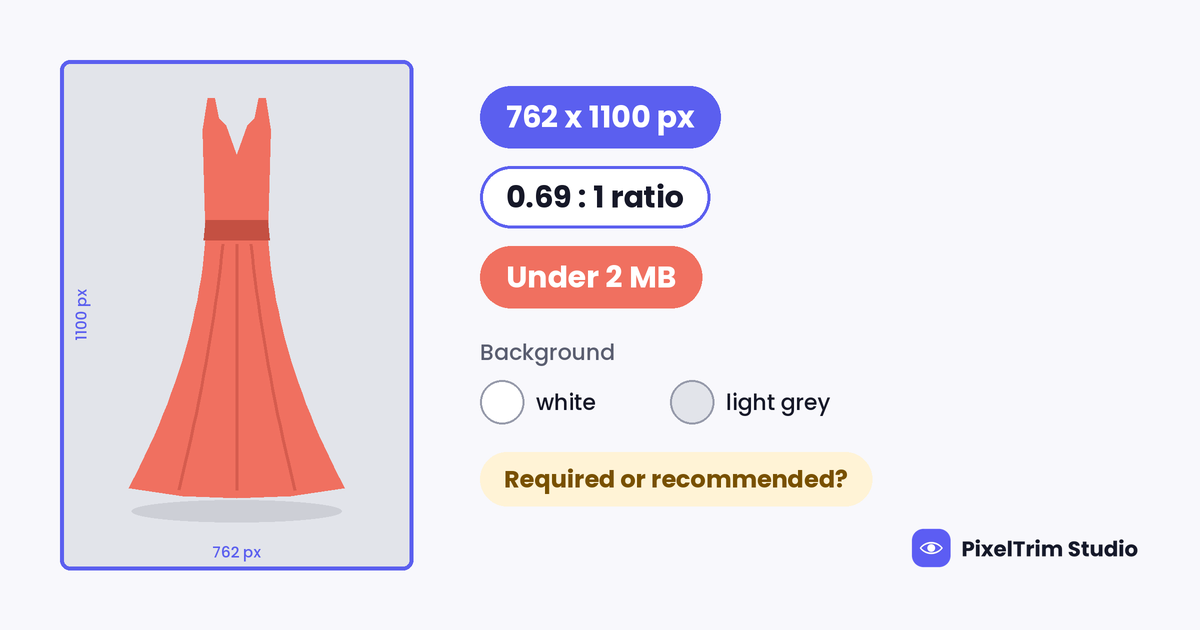
| Pixel size | 762 x 1100 px | Seller Center FAQ, Image Upload (stated as the general requirement) |
| Ratio | 0.69 : 1 (width to height) | Seller Center FAQ, Products |
| File size | Less than 2 MB | Seller Center FAQ, Image Upload |
| Resolution | 300 dpi | Seller Center FAQ, Image Upload |
| Background | White to light grey | Seller Center FAQ, Image Upload |
| Product focus | Product only, no watermarks or other details | Seller Center FAQ, Image Upload |
| Banner | 786 x 180 px, sent through the contact form | Seller Center FAQ, Image Upload |
| Larger size | 1385 x 2000 px | Third-party only (Unicart help page) |
| Images per product | Up to 8 | Third-party only (Unicart help page) |
| File type and color profile | Not stated | Not on the pages we could open |
Required or Recommended? Where Two Zalora Pages Disagree
The Image Upload FAQ asks what the general requirement for a Zalora product image is and answers 762 x 1100 pixels. It adds that if your photo is a different size, you can zoom in or out in Seller Center and it is resized to 762 x 1100 automatically.
The Products FAQ asks whether images must be 762 x 1100 and answers no. That size is recommended for the best layout on desktop and mobile, larger images are allowed, and the 0.69 : 1 ratio must be followed. If the ratio is off, the image editing tool under Products, then Manage Images, lets you crop or resize.
The two answers fit together once you read them by ratio. 762 divided by 1100 is about 0.693, which is the 0.69 : 1 Zalora names, and 1385 x 2000 works out to the same ratio. A separate Seller Center FAQ that lists rejection reasons (seen in a search snippet, not opened in full) names images outside 762 x 1100 pixels. So the safe reading is to keep the portrait ratio exact and export at 762 x 1100 px or an exact multiple of it. A file at the right ratio passes either page. A square or loosely cropped file has to be cropped or resized in Seller Center, so the framing is decided there instead of in your edit.
White to Light Grey: What the Background Rule Means
Zalora's FAQ asks for a white to light grey background and a product-focused image with no watermarks or other details. It gives the reason in plain terms: Zalora wants a uniform listing, and images that do not follow its guidelines are rejected. That makes background consistency the part an editor controls most.
- Keep the whole set one tone. Pick white or one light grey and use it for every image of every style. A mix of tones across a catalog works against the uniform look Zalora says it wants.
- Cut clean. A halo or a leftover shadow edge reads as a second background on a flat white or grey frame.
- Leave nothing extra in the frame. Remove watermarks, price tags, badges and text.
The page does not describe shadows, so there is no stated rule either way. A soft contact shadow is a judgment call. If a batch is rejected, removing it is a reasonable first fix.
Zalora or Zalando? Two Marketplaces, One Shared Number
The names look alike and the minimum size is the same, 762 x 1100 px, but they are separate marketplaces with separate rules. Zalando is the European one covered in our Zalando image requirements guide. Zalora is the Asian fashion marketplace whose Seller Center is the source here.
| Item | Zalora (Philippines Seller Center) | Zalando (Partner University, from our guide) |
|---|---|---|
| Pixel size | 762 x 1100 px (general requirement on one page, recommended on another) | Minimum 762 x 1100 px, best practice 1801 x 2600 px |
| Ratio | 0.69 : 1 | 1:1.44 (width to height) |
| File size | Less than 2 MB | Up to 20 MB |
| File type | Not stated | JPG/JPEG only |
| Background | White to light grey | Packshots on white, model views in its background colour range |
The shape is effectively the same, which is why one portrait master can feed both. The file size cap is the difference that bites. Zalando allows 20 MB and Zalora's FAQ says under 2 MB, so a file exported for Zalando may be too heavy for Zalora and needs its own export.
One Master File for Zalora and Zalando
This is our suggestion, not a Zalora rule: shoot and edit once, then export twice.
- Shoot portrait and compose to the 0.69 : 1 shape, leaving a little space around the product so a crop never touches it.
- Edit at 1801 x 2600 px. That is Zalando's best-practice size and the same shape.
- Put the product on one flat background. White works for both marketplaces, so it keeps the set interchangeable. Light grey is a Zalora-only option.
- Export the Zalora copy at 1524 x 2200 px, exactly twice 762 x 1100, and check it is under 2 MB. If it is not, drop to 762 x 1100.
- Use sRGB JPEG with a 300 dpi tag. Zalora's pages do not state a file type or profile, so this is our default. The dpi value is a metadata tag, and the pixel dimensions are what define the size.
- Keep the Zalando copy separate, so Zalora's size limit never forces a smaller Zalando file.
Why Zalora Rejects Images and Where to See It
Zalora says new and updated products go through quality control, where product images are checked against its Image Standards and Guidelines. The Products FAQ puts review time at 24 to 48 hours on a business day, and says products are reviewed within 2 working days of being created or updated.
To see a rejection, open Products, then Manage Products, then the Rejected tab. Each rejected item shows its reason, and Seller Center also sends an automated email when a status changes. The rejection list we saw in a search snippet names pixelated or blurred images, images outside 762 x 1100 pixels, and backgrounds that are not white or light grey.
Fixing Zalora Photos Without a Reshoot
Most failures come down to three jobs: a clean cutout onto one background, a garment shown without a mannequin, and a correct export. These are PixelTrim Studio's current per-image rates:
| Job | Service | Price per image |
|---|---|---|
| Cutout onto white or light grey | Clipping path | $0.39 simple, $0.69 medium, $0.99 complex |
| Invisible mannequin garment shot | Ghost mannequin | $1.49 simple, $2.49 medium, $3.49 complex |
| Recut to 0.69 : 1, JPEG, under the file cap | Image conversion | $0.19 basic (format and resize), $0.39 standard (adds color mode and profile embedding) |
As a worked example (an illustration, not a quote), take a t-shirt listing with four images. Three simple ghost mannequin edits cost $4.47 (3 x $1.49), one simple clipping path on a detail shot adds $0.39, and four basic conversions to the Zalora export add $0.76 (4 x $0.19). That comes to about $5.62 per style. Hoodies, jackets and dresses sit in higher ghost mannequin tiers. Turnaround is 24 to 48 hours with one free revision round.
For what a good invisible mannequin edit includes and how to choose a provider, read our ghost mannequin service guide. If you also sell in the Philippines on Shopee, remember that it asks for a square cover, so export a separate square copy; the details are in our Shopee image requirements guide.
Pre-Upload Checklist for Zalora
- Portrait file at 0.69 : 1, ideally 762 x 1100 px or an exact multiple of it
- Under 2 MB and sharp at full size
- One flat white or light grey background across the whole set
- No watermark, text, badge or other details in the frame
- Product centered with space around it
- Banner, if you need one, at 786 x 180 px through the Seller Center contact form
- Rejected tab checked after submission
Not sure your photos would pass? Send two sample images and we will edit them to the Zalora spec, free, through our free trial.
FAQ
What size should Zalora product images be?
Zalora's Philippines Seller Center FAQ lists 762 x 1100 pixels, 300 dpi, under 2 MB and a white to light grey background as the general requirement. Another FAQ on the same site calls 762 x 1100 recommended and allows larger images at a 0.69 : 1 ratio. Exporting at 762 x 1100 px or an exact multiple of it clears both readings.
Does Zalora require exactly 762 x 1100 pixels?
The pages disagree. One says the size is the general requirement and that Seller Center resizes uploads to it. The other says larger images are allowed if the 0.69 : 1 ratio is followed. A Seller Center FAQ rejection list also names images outside 762 x 1100 pixels, so treating that size as the target is the safe choice.
What background does Zalora want?
White to light grey, with the product in focus and no watermarks or other details. Zalora says it wants a uniform listing and rejects images that do not follow its guidelines, so use one tone across the whole set.
What is the Zalora image file size limit?
Under 2 MB per image, according to the Image Upload FAQ. The pages we could open do not state a file type or color profile, so JPEG in sRGB is a sensible default.
Are Zalora and Zalando image rules the same?
No. They are separate marketplaces. Both quote 762 x 1100 px as a size and both use a portrait shape, but Zalando asks for 1:1.44, JPG only, files up to 20 MB and white packshots, while Zalora's FAQ asks for under 2 MB and a white to light grey background. Export a separate copy for each.
Tags
Ready to get your images edited?
Upload 2 photos for a free trial edit — returned in under 24 hours.
Start free trial →