Search for Trendyol image size and one number comes back everywhere: 1200 x 1800 px. It is real, but it is the size Trendyol prefers, not its floor, and the pages that quote it do not agree on file size, extra-image limits or even the shape of the frame. Trendyol is an Istanbul-based marketplace for fashion, shoes, bags, cosmetics, jewelry and home goods, and these gaps are easy to trip over when one catalog goes to several marketplaces.
We did not find a public, Trendyol-hosted image spec page, so this guide follows the two ChannelEngine marketplace guides (Trendyol Turkey and Trendyol International), a Tradebyte channel sheet and two seller guides. Every number below is labelled by where it comes from, and where sources disagree the table says so. Confirm anything borderline on your own upload screen before a large batch.
Trendyol Image Specs at a Glance
| Requirement | What the sources say | Where it comes from |
|---|---|---|
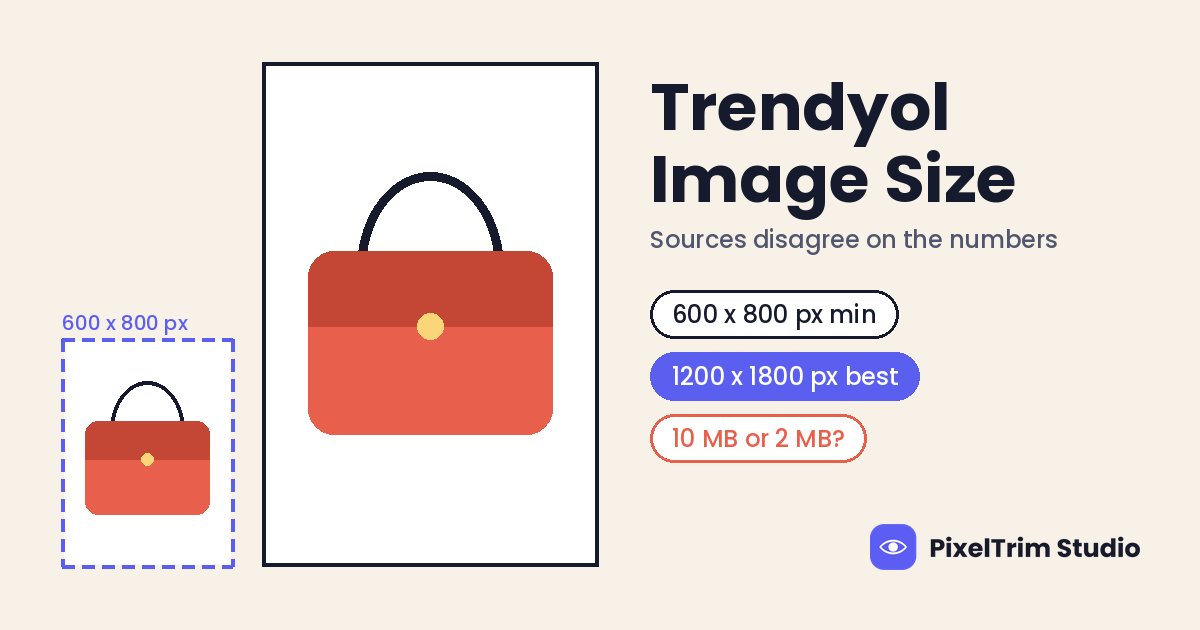
| Main image, minimum | 600 x 800 px at 72 dpi | ChannelEngine Turkey and International guides |
| Main image, desired | 1200 x 1800 px at 96 dpi | Both ChannelEngine guides, Tradebyte channel sheet, one seller guide |
| Maximum file size | 10 MB | Both ChannelEngine guides (one tool guide says 2 MB) |
| Image count | Main image plus slots 2 to 8, so up to 8 in total | ChannelEngine guides |
| Extra images, Turkey guide | 600 x 800 px minimum, 1200 x 1800 px desired, 10 MB | ChannelEngine Trendyol Turkey guide |
| Extra images, International guide | 2,000 x 2,000 px maximum, 10 MB, JPG, JPEG or PNG | ChannelEngine Trendyol International guide |
| File format | JPG, JPEG or PNG | ChannelEngine International guide, Tradebyte channel sheet |
| Aspect ratio | No ratio rule stated; 1200 x 1800 px works out to 2:3 | Pixel figures only in the guides; 2:3 named by one seller guide |
| Background | No rule found; a seller guide advises white or plain | No Trendyol source |
The ChannelEngine guides describe image fields for sellers who list through its connector, and they ask for https image links. A seller who uploads by hand may see different limits on screen, so treat the table as a starting point and let your upload screen have the final say.
Where the Trendyol Numbers Disagree
Five gaps cause most of the confusion:
- The minimum and the desired size are different shapes. 600 x 800 px is a 3:4 frame, while 1200 x 1800 px is 2:3. A file at the minimum is not a half-size copy of the desired file. If you scale a 1200 x 1800 px file down by half you get 600 x 900 px, which clears the 600 x 800 px floor and keeps the 2:3 shape.
- Turkey and International give different extra-image rules. The Turkey guide gives a minimum and a desired size for images 2 to 8, while the International guide gives a 2,000 x 2,000 px maximum. ChannelEngine publishes a separate guide for each, so check which one matches your account.
- 10 MB or 2 MB? Both ChannelEngine guides say 10 MB. One tool guide that lists Trendyol next to other platforms says 2 MB, and we could not trace that to a Trendyol document. Check the file weight as well as the pixels, because a large PNG can pass the size test and still be heavy.
- 72 dpi or 96 dpi? The guides list 72 dpi for the minimum and 96 dpi for the desired size. Dpi is a metadata value, not a pixel count, so it will not rescue a small file. Check the pixel width first.
- White background or not? The ChannelEngine pages say nothing about background color. One seller guide advises white or plain, and a background-removal tool says clean and distraction-free, but neither cites a Trendyol document.
One Master File That Clears Every Reading
You do not have to settle the argument. Build to the strictest reading of each number and every version is covered. This is our suggestion, not a Trendyol number:
- Canvas of 1200 x 1800 px, 2:3 portrait, for every image in the listing. It matches the desired size in the Turkey guide and sits inside the 2,000 x 2,000 px maximum in the International guide.
- JPEG in sRGB, under 2 MB. It passes the 10 MB reading and the 2 MB reading, and a clean 1200 x 1800 px export usually fits.
- 96 ppi in the file metadata, to match the desired figure the guides quote.
- Main image on pure white, product fully visible and centered, with no watermark, text or border. No Trendyol page requires this, but it is the safest background for any marketplace.
- Nothing above 2,000 px on either side for the additional images.
- Test one listing before you upload a full catalog.
Square shots need extra care. A product photographed on a square canvas, such as jewelry or a cosmetic jar, cannot become 2:3 without adding empty canvas. Extend the canvas on white and keep the product centered, and never stretch the image to fill the frame.
One Portrait Master Is Not Enough for Every Marketplace
Trendyol is one of several portrait-first fashion marketplaces, and each one wants a slightly different frame. A file built for Trendyol will not pass on the others without a recut.
| Marketplace | Portrait size we use | Ratio |
|---|---|---|
| Trendyol | 1200 x 1800 px | 2:3 (our master; desired size per ChannelEngine) |
| Zalando | 1801 x 2600 px | 1:1.44, and a ratio that rounds to 1.45 is flagged |
| Noon | 1320 x 1800 px | About 0.73 (two Noon pages differ) |
| Shein | 1340 x 1785 px | 3:4 (four ratios accepted) |
A 2:3 file is 1:1.5, so it misses Zalando's 1:1.44 target and would be flagged there. Cut each marketplace's version from the same retouched original, not from another marketplace's export. For platforms not covered here, our marketplace image size cheat sheet lists the headline numbers for 35+ platforms in one table.
Fixing Photos That Fail Without a Reshoot
Most failed Trendyol uploads come down to three jobs: a clean cutout on white, an invisible mannequin shot for apparel, and a correct export. These are PixelTrim Studio's current per-image rates:
| Job | Service | Price per image |
|---|---|---|
| Cutout to a clean white main image | Clipping path | $0.39 simple, $0.69 medium, $0.99 complex |
| Invisible mannequin garment shot | Ghost mannequin | $1.49 simple, $2.49 medium, $3.49 complex |
| Recut to 1200 x 1800 px, JPEG, sRGB | Image conversion | $0.19 basic (format and resize), $0.39 standard (adds color mode and profile embedding) |
As a worked example, take a batch of 20 simple accessories with 5 images each. A simple cutout on each main image costs $7.80 (20 x $0.39), and recutting all 100 files at the basic conversion rate adds $19.00 (100 x $0.19), for about $26.80. This is an illustration, not a quote. Apparel that needs a ghost mannequin edit costs more per garment, and intricate shapes sit in the complex cutout tier. Turnaround is 24 to 48 hours with one free revision round.
Resizing cannot create detail that was never captured. If an original is far below 600 x 800 px, a conversion job can scale it, but the result will look soft and a reshoot is the better fix.
Pre-Upload Checklist for Trendyol
- 1200 x 1800 px portrait canvas on every image, nothing larger than 2,000 px on a side
- JPEG in sRGB, under 2 MB, with 96 ppi metadata
- Main image on pure white, product fully visible and centered
- No watermark, text overlay, border or collage on the main image
- No stretched images: extend the canvas instead of distorting a square shot
- Up to 8 images per listing, checked against your category on the upload screen
- Image links in https format if you list through a connector
- One test listing before the full catalog
FAQ
What size should Trendyol product images be?
ChannelEngine's Trendyol guides list a main image minimum of 600 x 800 px at 72 dpi and a desired size of 1200 x 1800 px at 96 dpi, with a 10 MB maximum. We found no Trendyol-hosted spec page, so confirm the numbers on your upload screen. A 1200 x 1800 px JPEG covers both the minimum and the desired size.
What is the Trendyol image file size limit?
Both ChannelEngine guides give 10 MB as the maximum file size. One tool guide says 2 MB instead, and we could not trace that to Trendyol. Exporting under 2 MB passes either reading, and a 1200 x 1800 px JPEG usually fits easily.
How many images can a Trendyol listing have?
ChannelEngine maps a main image plus additional image slots numbered 2 to 8, so up to 8 images in total. Tradebyte's channel sheet lists a minimum of 1 image. Check your own category on the upload screen, because limits can differ by category.
Does Trendyol require a white background?
None of the Trendyol pages we read state a background rule. One seller guide advises a white or plain background, and image tools describe a clean, distraction-free one. Pure white is the safe choice for a main image, and it is our suggestion rather than a Trendyol requirement.
Why do the two Trendyol guides give different extra image sizes?
ChannelEngine publishes one guide for Trendyol Turkey and one for Trendyol International. The Turkey guide gives a 600 x 800 px minimum and 1200 x 1800 px desired size for extra images, while the International guide gives a 2,000 x 2,000 px maximum. A 1200 x 1800 px file sits inside both.
Tags
Ready to get your images edited?
Upload 2 photos for a free trial edit — returned in under 24 hours.
Start free trial →