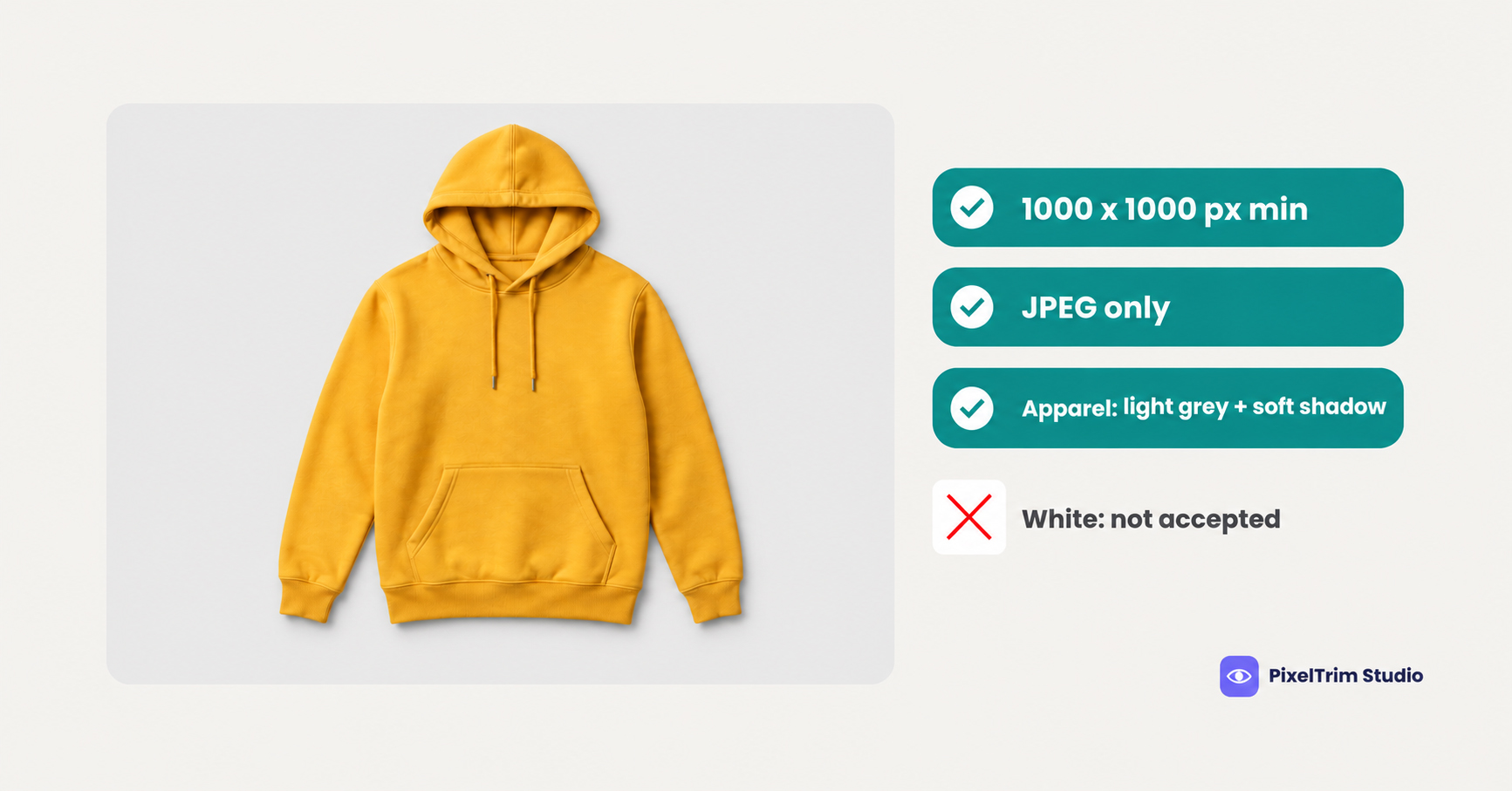
Most marketplace guides say the same thing: put the product on a white background. Flipkart's apparel rule says the opposite. In the image guidelines published in Fynd's Flipkart integration documentation, apparel needs a light grey background with a soft shadow, and a white background will not be accepted. Everything else, from the 1000 x 1000 px minimum to JPEG-only, is easy by comparison. We did not find a public Flipkart-hosted page for these rules, so this guide follows that partner documentation plus third-party seller guides, and labels every number by where it comes from.
Flipkart Image Requirements at a Glance
| Requirement | What to follow | Where it comes from |
|---|---|---|
| Minimum size | 1000 x 1000 px | Fynd image guidelines page, two third-party guides |
| File format | JPEG only | Fynd image guidelines page and Fynd FAQ |
| Background (general) | White or light grey | Fynd image guidelines page |
| Background (apparel) | Light grey with a soft shadow, white not accepted | Fynd apparel table |
| Images per listing | At least 2, 3 preferred | Fynd image guidelines page (the Fynd FAQ says 2 to 5) |
| Text, watermarks, price tags | Not allowed | Fynd image guidelines page |
| Frame fill | Product fills at least 85% of the frame | One third-party guide only |
| Maximum file size, aspect ratio, DPI | Not stated in any source we found | Not stated |
Fynd is an integration partner, not Flipkart, and its pages can lag behind the Seller Hub. Treat this table as a starting point and let the upload screen have the final say before a big batch.
Why Apparel Is the Exception
For most categories the Fynd guidelines say the image should be white or light grey. For apparel the table is stricter, and several of its rules go beyond the background:
- Light grey background with a soft shadow is required, and a white background will not be accepted
- Front and back views are mandatory, and side views are optional
- The garment must be properly ironed, with no creases or folds
- The same model must appear in every shot of a product, with the same skin tone throughout
- Loose or extremely tight garments are not allowed, because the product loses its shape
- Lighting should be soft and as natural as possible, not heavy or extremely bright
- The product is shown without packaging
- Mannequin images are not allowed
- If the product has more than one unit, the first image shows all of them
Flipkart names the colour family (light grey) and the shadow, but not a hex value, an opacity or a pixel size. A white-background export made for another marketplace is the most likely reason an apparel listing fails here. Our Amazon apparel image requirements guide covers the opposite case, where pure white is the rule.
Accessories and Footwear Rules
| Category | Required shots | Other rules |
|---|---|---|
| Accessories | Front and back, plus an angled shot for sunglasses | Casing is mandatory for some items such as sunglasses; no dust, stains, scratches or text engraving; the model wears no other accessory; colour and lighting stay consistent |
| Footwear | Front, back and angled, plus a top and a sole image; tip and heel shots for sandals | Side and zoomed views are good to have; the shoe must fit the model; heavy accessories stay out of frame; mannequin shots are avoided in favour of real models |
A model wearing the accessory or the shoe is optional in both categories. Our Shein image requirements guide shows how another apparel-heavy marketplace handles ratios and white backgrounds.
Where the Numbers Disagree
Five gaps cause most of the confusion:
- Minimum size. The Fynd guidelines page and two third-party guides say 1000 x 1000 px. A Fynd FAQ page reads "200x1000", which does not match and looks like a typo, but we cannot confirm that. Use 1000 px on both sides as the floor.
- How many images. The guidelines page asks for at least 2 and prefers 3. The FAQ page says 2 to 5. Apparel and accessories also need a front and a back, so plan 3 to 5.
- White or grey. The guidelines page allows white or light grey, the FAQ page says the primary image should be white, and one third-party guide says only white is accepted without mentioning apparel. For apparel, the Fynd apparel table is the most specific source, so follow it and test one image first.
- The 85% rule. Only one third-party guide says the product should fill 85% of the frame. Fynd does not mention it. It costs nothing to follow, so keep the product large and centred.
- Ghost mannequin. The apparel table bans mannequin images but does not say whether an edited invisible mannequin image counts. We could not confirm it either way, so test one image before you edit a whole catalogue. Zalando states its position clearly, which we cover in our Zalando image requirements guide.
One Master Spec That Clears Every Reading
You do not have to settle the argument. Shoot and edit to the strictest reading of each number. The sizes below are our recommendation, not Flipkart values.
- At least 1000 px on both sides, for example 1500 x 2000 px in 3:4 portrait, so no source reading fails it.
- JPEG only, with no PNG exports.
- Apparel on light grey with a soft shadow. Pick a light neutral grey such as #EEEEEE and test it on one image first.
- Everything else on white or light grey. Pure white satisfies both the general rule and the FAQ reading.
- 3 to 5 images per listing, with a front and a back for apparel and accessories.
- Product at about 85% of the frame, centred and uncropped.
- No text, watermark, price tag, sticker or props in any image.
Fixing Photos That Fail Without a Reshoot
Most failed apparel uploads come down to two jobs: a clean cutout onto the right backdrop, and a believable shadow.
- White, busy or off-colour background: a clipping path cuts the product out so it can sit on light grey or white. Pricing is $0.39 per image for simple products, $0.69 for medium and $0.99 for complex shapes. Model shots with loose hair or sheer fabric usually need masking instead, so send a sample for a quote.
- Floating product after the cutout: shadow creation adds the soft shadow Flipkart asks for. A drop shadow is $0.49 per image, a natural shadow is $0.89 and a reflection shadow is $1.29. It works on white, grey or coloured backgrounds.
- Visible mannequin: a ghost mannequin edit removes it, from $1.49 per image for simple tops, $2.49 for medium garments and $3.49 for complex ones. Because Flipkart's position on edited mannequin images is unconfirmed, test one first.
As a worked example, take one plain t-shirt photographed flat with 3 images (front, back and a detail). A simple clipping path on all three costs $1.17 (3 x $0.39) and a drop shadow on all three adds $1.47 (3 x $0.49), for $2.64 per SKU at the separate rates, and a combined quote is available. Turnaround is 24 to 48 hours with one free revision round.
Not sure your apparel photos would pass? Send 1-2 sample images and we will edit them to spec, free.
Pre-Upload Checklist for Flipkart
- JPEG files, at least 1000 px on both sides
- Apparel on light grey with a soft shadow, never on white
- Other categories on white or light grey
- Front and back views for apparel and accessories, and the extra shots footwear needs
- 3 to 5 images per listing, with the product at about 85% of the frame
- Garments ironed, with the same model and skin tone in every shot
- No text, watermark, price tag, sticker, comparison or props
- No visible mannequin, and one test image run through the upload screen first
FAQ
What size should Flipkart product images be?
The Fynd image guidelines page and two third-party guides say at least 1000 x 1000 px. A Fynd FAQ page reads 200x1000, which does not match, so use 1000 px on both sides as the safe floor. We found no stated maximum size or aspect ratio.
Does Flipkart require a white background?
Not for every category. The Fynd guidelines allow white or light grey in general, and one third-party guide says only white is accepted. For apparel, the Fynd table says a light grey background with a soft shadow is required and white will not be accepted.
What background does Flipkart want for apparel?
Light grey with a soft shadow. Flipkart names the colour family but not a hex value, so pick a light neutral grey and test one image on the upload screen before a batch.
What file format does Flipkart accept?
The Fynd guidelines and FAQ both say JPEG only. We found no stated file size cap, so keep exports well under typical marketplace limits and check the upload screen.
Does Flipkart allow mannequin photos?
The apparel rules say mannequin images are not allowed, and footwear guidance says to use real models. Whether an edited ghost mannequin image counts is not stated in the sources we found, so test one image first.
How many images does Flipkart need per listing?
The guidelines page says at least 2 and prefers 3, while the FAQ page says 2 to 5. Apparel and accessories also need a front and a back view, so plan 3 to 5 images.
Tags
Ready to get your images edited?
Upload 2 photos for a free trial edit — returned in under 24 hours.
Start free trial →

