Jewelry is one of the hardest product categories to photograph well. A single grain of dust, a tiny scratch on a polished band, or a slightly off color cast can make a $2,000 diamond ring look cheap — or worse, make a customer distrust the listing entirely. If you sell jewelry on Amazon, Etsy, or Shopify, professional jewelry photo editing isn't optional. It's the difference between a scroll-past and a sale.
Why Jewelry Photos Are So Unforgiving
Unlike apparel or home goods, jewelry photography lives or dies on micro-detail. Buyers zoom in. They compare facets, clasps, and stone clarity pixel by pixel before they trust a purchase they can't touch. That means even professional studio shots almost always need post-production work before they're listing-ready — though shooting it right in the first place goes a long way too; see our jewelry photography tips for shots that are easier and cheaper to edit.
The Most Common Jewelry Photo Problems
1. Dust and Micro-Scratches
Polished metal and gemstones attract dust like magnets, and studio lighting makes every speck visible. Even brand-new pieces often show faint handling marks under macro lenses. Manual spot-removal and scratch-blending — done carefully, facet by facet — is needed so the piece looks flawless without looking artificially smoothed.
2. Color Accuracy and White Balance Shifts
Gold can photograph orange. White gold can photograph blue. Gemstones can shift hue entirely depending on studio lighting temperature. If the color in your photo doesn't match the color a customer receives, you're looking at return requests and disputed reviews — not just a complaint, but a policy risk on marketplaces like Amazon. Precise color correction against a reference swatch keeps what customers see and what they receive consistent.
3. Reflections and Hotspots
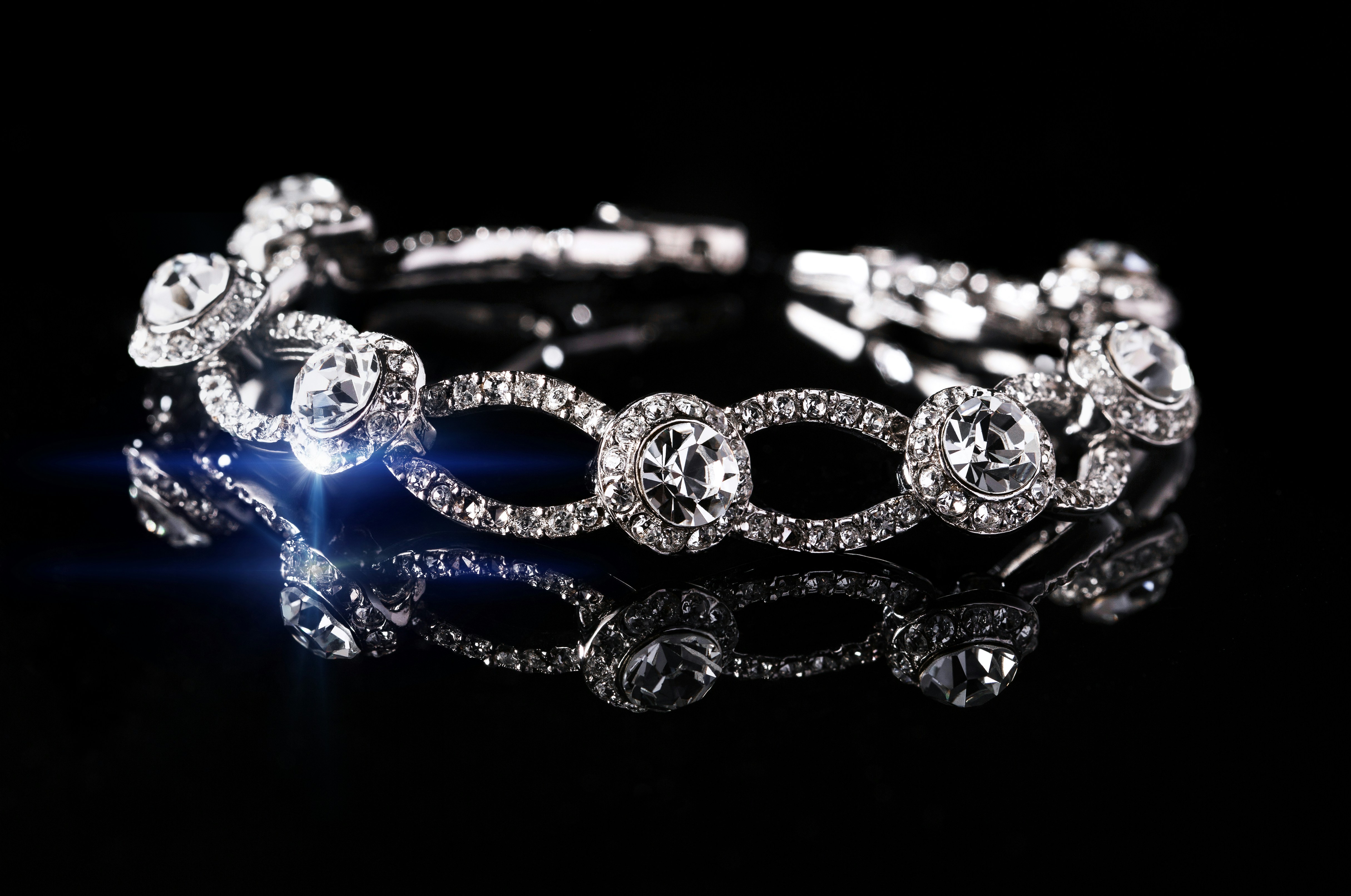
Reflective metal surfaces pick up studio lights, ceiling fixtures, even the photographer's silhouette. Retouching removes distracting hotspots and reflections while preserving the natural sparkle and shine that make the piece look premium and desirable — not flat.
4. Background and Shadow Consistency
Marketplace guidelines (especially Amazon's pure white background requirement) demand a clean, consistent backdrop across every image in a listing. Clipping paths and shadow work ensure each piece — ring, necklace, earring — sits on an identical background with natural, believable shadow, so the full gallery looks like one cohesive shoot even if pieces were photographed on different days.
5. Batch Consistency Across a Catalog
If you're listing 50 or 200 SKUs, small inconsistencies between images (slightly different white balance, crop, or shadow angle) make a storefront look unprofessional. Batch editing with a locked style guide keeps an entire catalog visually consistent, which builds buyer trust at the store level, not just the single-listing level. If you're budgeting for this kind of work across a full catalog, our jewelry retouching cost guide breaks down what affects pricing.
How PixelTrim Studio Handles Jewelry Editing
Our team applies manual, facet-level retouching rather than blanket filters, since jewelry doesn't tolerate one-click fixes. That includes:
- Manual dust and scratch removal, facet by facet
- Color correction matched to true metal and gemstone tone
- Reflection and hotspot cleanup that preserves natural sparkle
- Pure white or custom background clipping paths
- Consistent shadow and batch styling across full catalogs
Why It Matters for Your Bottom Line
Jewelry buyers convert on trust signals they can see: clarity, color accuracy, and a clean, professional presentation. Investing in proper photo editing isn't a cosmetic upgrade — it directly reduces returns, disputes, and negative reviews caused by "doesn't match the photo" complaints, while making your listings compete with premium jewelry brands rather than looking like a hobbyist shop.
Ready to Upgrade Your Jewelry Listings?
PixelTrim Studio offers a free trial edit on a sample piece or two, so you can see facet-level retouching quality before committing. Reach out and send us a few sample shots — we'll show you the difference precise editing makes.
Tags
Ready to get your images edited?
Upload 2 photos for a free trial edit — returned in under 24 hours.
Start free trial →