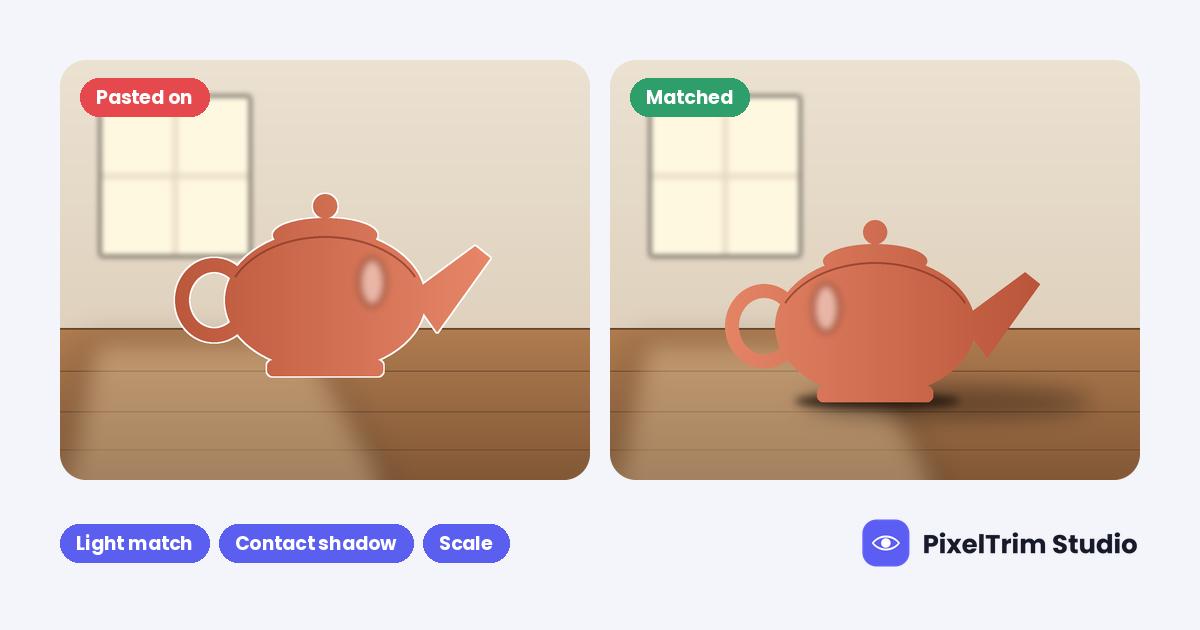
Dropping a product cutout onto a lifestyle photo takes minutes. Making it look as if the product was shot in that room is the real job. The giveaway is rarely the cutout itself. It is the light, the shadow and the scale around it.
This guide covers lifestyle compositing for one product at a time: the five checks that decide whether a composite looks native, what to send an editor, what it costs at our live rates, and when a reshoot is the better call. For the wider service overview, see our image manipulation service guide.
What Product Lifestyle Photo Compositing Is
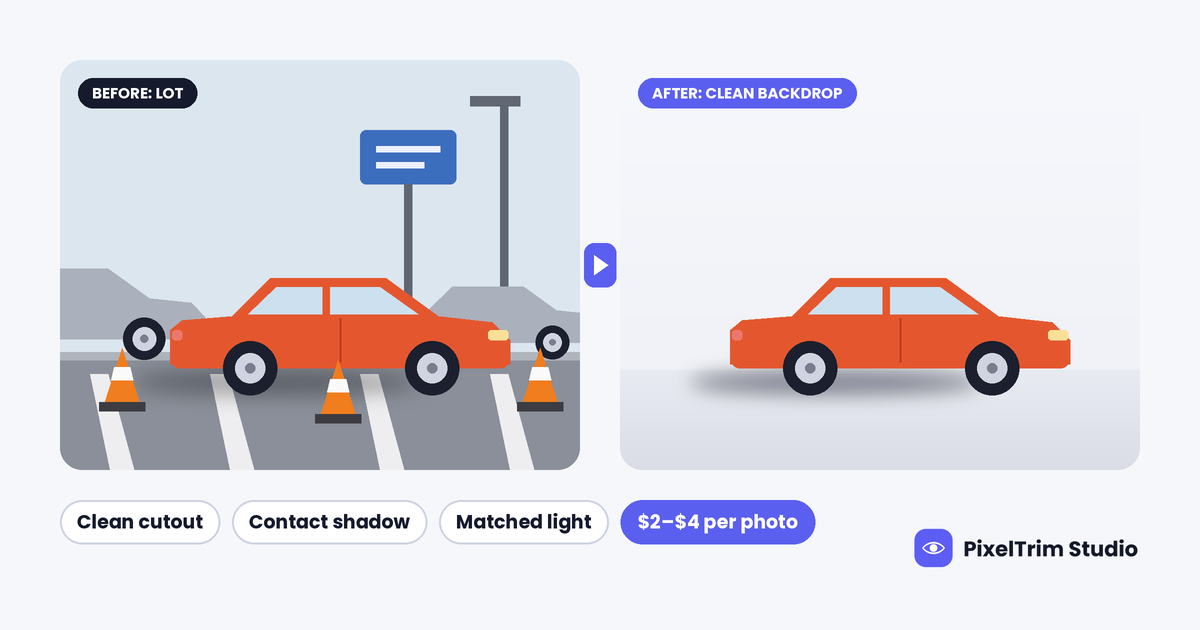
Product lifestyle photo compositing means placing a cut-out product into a new scene, such as a kitchen counter, a desk or a shelf, and rebuilding the cues that make it belong there. It comes after the cutout step. The product is isolated first, and for hair, fur, glass or sheer edges that step is image masking rather than a hard path.
Compositing is the part that follows: matching light, adding the shadow, setting the scale and blending the edges. It is one use of image manipulation, and one of the most requested jobs when sellers want in-scene images from plain product shots.
Five Checks That Make a Composite Look Native
1. Light direction
Look at where the highlight sits on the product and where the scene's light comes from, such as a window or a lamp. If the product is bright on its right side and the window is on the left, the eye reads the image as wrong before it can say why. The fix is to re-light the product, or to pick a scene whose light matches the original shot.
2. Light colour and softness
A product shot under cool studio light looks pasted on when it sits in a warm, low-sun scene. Colour temperature and contrast need to move toward the scene, while the product's true colour stays accurate so the buyer gets what they saw.
3. Scale and perspective
Camera height and angle have to agree. A product shot from slightly above looks tilted when it is placed on a scene shot at eye level. Scale also needs a sanity check against the other objects in the frame, because a mug that is bigger than the laptop beside it breaks the scene.
4. Grounding: contact shadow and reflection
A product needs a tight, dark shadow where it touches the surface. Further out, the shadow softens and stretches away from the light. Polished wood, stone and glass surfaces also need a faint reflection. A floating product is the most common composite failure. Our product photo shadow guide explains the natural, drop and reflection types.
5. Edges and depth of field
A bright fringe or a razor-hard edge against a soft background reads as stuck on. Edge softness, sharpness and grain should match the scene around the product. Hair, fur and sheer fabric need a mask instead of a hard path, or the edges look chopped.
What to Check in Your Product Photo First
- Camera angle: close to the angle of the scene you plan to use
- Resolution and focus: full-size original, sharp, no motion blur
- Lighting: soft and even is easiest to reuse; a hard shadow baked in from another direction has to be rebuilt
- Edges: the product does not touch other objects or run out of the frame
- Glass, chrome and gloss: these carry reflections of the room they were shot in, which can clash with the new scene
Where the Scene Comes From
| Scene source | Good for | Watch for |
|---|---|---|
| Your own scene photo | A match to your brand and a scene no one else has | Shoot it at an angle that suits the product |
| Licensed stock scene | Fast, no staging | Confirm the licence covers commercial product use; other sellers can buy the same scene |
| Reference image and brief | When you know the look but have no scene file | More detail in the brief means a closer first delivery |
| Several source images combined | Product, props and background built into one scene | This is the complex tier, priced higher |
What Lifestyle Compositing Costs
These are the live rates from our image manipulation service page. The page notes that creative projects vary, so complex jobs are quoted.
| Tier | Price | What the service page lists | Typical lifestyle job |
|---|---|---|---|
| Simple | $2.99 per image | Object removal or swap, simple background replacement, basic composite | Product placed on a simple scene |
| Standard | $7.99 per image | Multi-element composite, lighting matched, shadow and reflection added, 1 revision round | Product in a full lifestyle scene |
| Complex | From $19 per image | Full scene construction, 3+ source images, high-end finishing, layered PSD and revision | Product, props and background built together |
Illustration, not a quote: 12 products, each placed in one lifestyle scene at the Standard tier, is 12 x $7.99 = $95.88. If 8 of them only need a simple placement at $2.99 and 4 need the Standard tier at $7.99, the same set is 8 x $2.99 = $23.92 plus 4 x $7.99 = $31.96, which makes $55.88.
Composite or Reshoot?
A composite makes sense when:
- The product is already photographed cleanly
- You want the same product in several different scenes
- The scene would be costly or slow to stage
- You already have the scene photo
A reshoot is the better call when:
- The product is glass, chrome or very glossy, because it mirrors the room it was shot in
- A hand or body has to touch the product, since convincing contact points are hard to fake
- The product is shown with steam, liquid or motion that must interact with the scene
What to Send With the Order
- Product photos in their full-resolution originals
- The scene photo, or a reference image of the look you want
- A rough sketch or screenshot of where the product should sit in the frame
- The product's real dimensions, so the scale is right
- Anything that must not change, such as a label or a logo
- The output format you need: the service delivers JPG, PNG with a transparent background, layered PSD or TIFF
Standard turnaround is 24 to 48 hours for most orders. The service page puts complex multi-element scenes at 3 to 5 business days, and same-day delivery can be requested for smaller batches.
Common Mistakes
- A product that floats because there is no contact shadow
- Light that comes from one side on the product and from the other side in the scene
- Scale that does not fit the objects around the product
- A different shadow direction on each image in a set, so the set looks inconsistent
- Using a scene licence that does not cover product or commercial use
Placing the finished composite in a marketplace gallery? Slot sizes and text rules for Amazon are in our Amazon infographic and lifestyle image guide.
Want to see a composite on your own product? Send 2 images and we will edit them for free, returned in under 24 hours.
See our Image Manipulation service →
FAQ
What is product lifestyle photo compositing?
It places a cut-out product into a new scene, then matches the light, shadow, scale and edges so the product looks as if it was photographed there.
How much does lifestyle photo compositing cost?
Our image manipulation rates are $2.99 per image for Simple jobs, $7.99 per image for Standard jobs with matched lighting plus shadow and reflection, and from $19 per image for Complex scenes built from 3 or more source images. Creative projects vary, so complex jobs are quoted.
Can I use my own scene photo?
Yes. The service places the subject on a lifestyle, studio or custom background with matched lighting, and it works from a brief, a reference image or both.
Why does my composite look fake?
It is usually one of five things: the light direction does not match, the light colour does not match, the scale or perspective is off, there is no contact shadow, or the edges are too hard or have a bright fringe.
How long does a lifestyle composite take?
Simple jobs take 24 to 48 hours. Complex multi-element scenes take 3 to 5 business days, and rush delivery can be requested.
When should I reshoot instead of compositing?
Reshoot when the product is glass, chrome or very glossy and mirrors its original room, or when a hand or body has to touch the product convincingly. If neither applies, compositing from a clean product photo is a sound option.
Tags
Ready to get your images edited?
Upload 2 photos for a free trial edit — returned in under 24 hours.
Start free trial →