A clean product cutout is easy when your subject has hard, straight edges — a bottle, a box, a shoe. But the moment you're dealing with hair, fur, feathers, glass, smoke, or a semi-transparent fabric edge, a pen-tool clipping path stops being enough. That's where image masking comes in.
This guide breaks down what image masking actually is, how it's different from clipping path, when you need it, and what it typically costs.
What Is Image Masking?
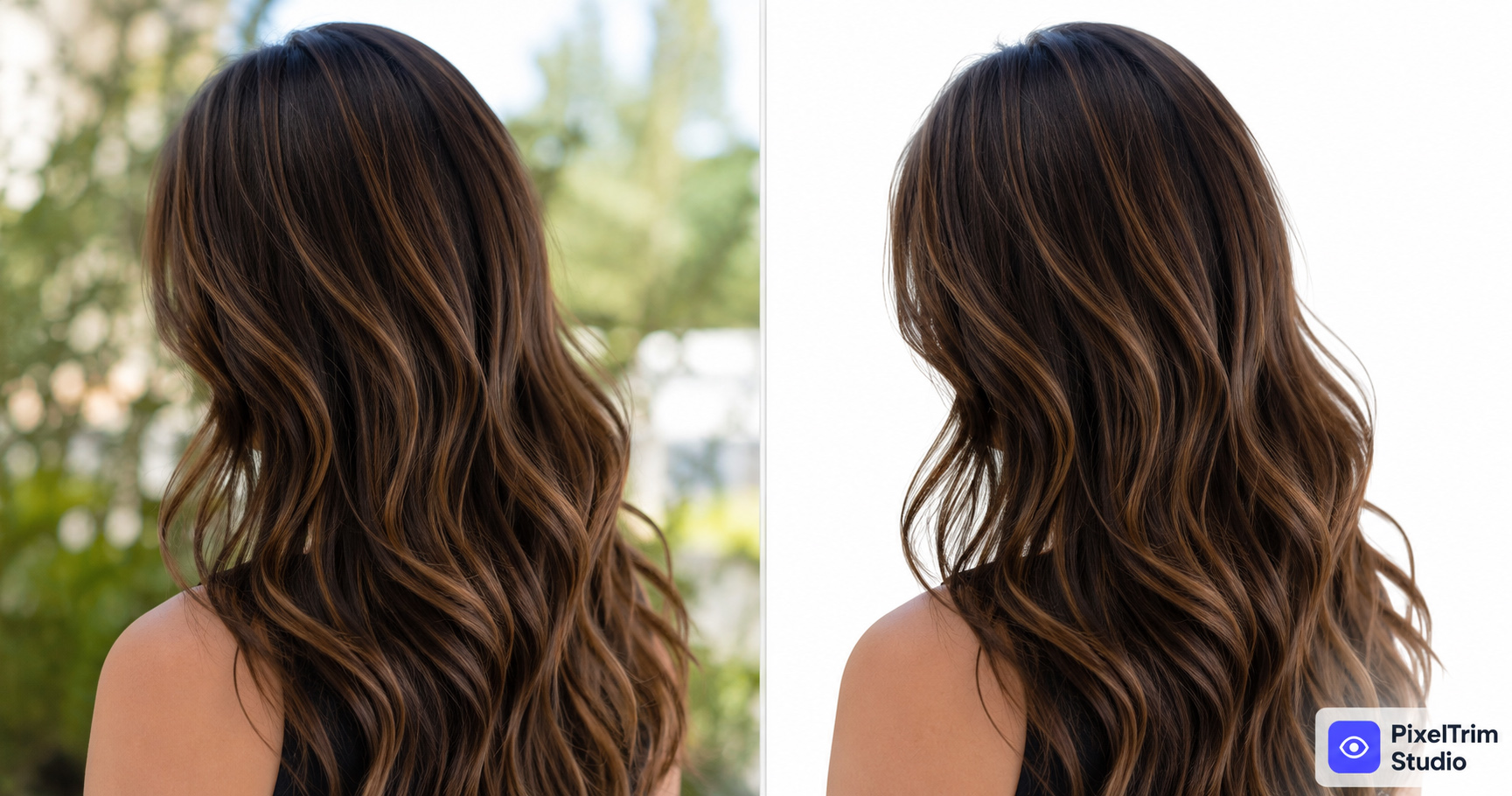
Image masking is a manual editing technique used to separate fine, irregular, or semi-transparent details from a photo's background — the kind of detail a clipping path can't trace with a hard vector line. Instead of drawing one clean outline, an editor builds a grayscale "mask" that controls opacity pixel by pixel: fully visible where the subject is solid, fully transparent where the background is, and everything in between (like loose hair strands) gets partial transparency.
This is what makes edges look natural instead of "cut out with scissors."
Image Masking vs Clipping Path — What's the Difference?
Both techniques remove a background, but they solve different problems. We cover this in more depth in our Clipping Path vs Image Masking comparison guide — here's the short version:
| Factor | Clipping Path | Image Masking |
|---|---|---|
| Best for | Hard, solid edges (bottles, boxes, shoes) | Hair, fur, fine detail, semi-transparent edges |
| Edge type | Vector path, hard cutoff | Grayscale mask, gradual opacity |
| Typical use case | Product with clean geometric outline | Apparel with hair, jewelry with mesh/chain, glassware |
| Turnaround | Faster | Slightly longer — more detail work |
When You Actually Need Image Masking
You likely need image masking — not just a clipping path — if your product photo includes any of the following:
- Hair or fur on a model or a fashion/apparel shot
- Fine mesh, netting, or lace fabric edges
- Smoke, fog, or motion blur around the subject
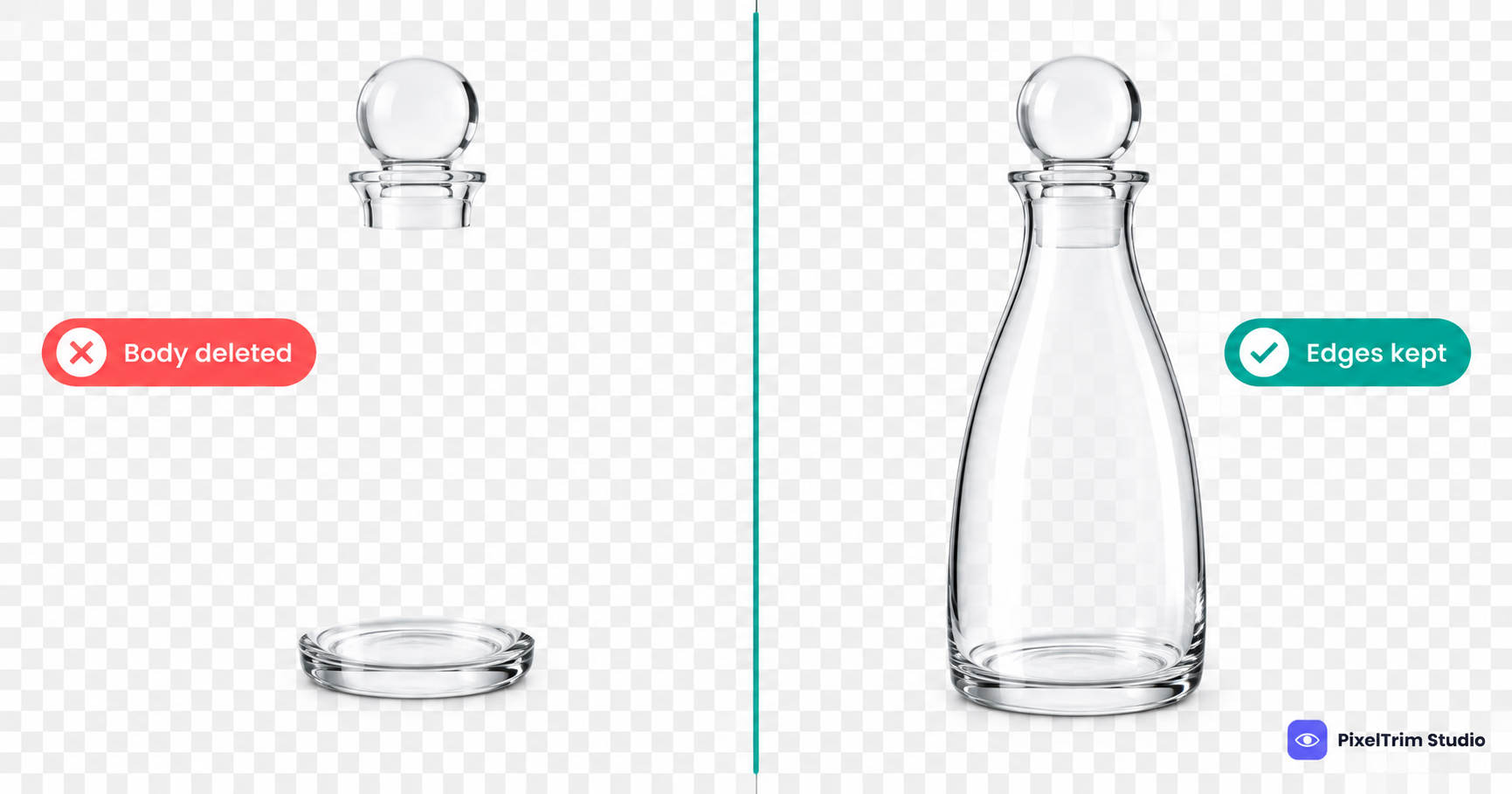
- Glass, crystal, or translucent packaging where the background shows through
- Feathers or fibrous textures that a hard vector line would flatten
If your product is a simple solid object with a clean outline, a standard clipping path is usually all you need — masking adds time and cost you don't have to spend.
Common Types of Image Masking
Editors typically use one of these approaches, sometimes combined on the same image:
- Layer masking — non-destructive masking applied directly on a layer, most common for general product work
- Alpha channel masking — used for fine detail like hair, based on the image's tonal contrast
- Luminosity masking — isolates subjects based on brightness values, useful for smoke, glass, and translucent edges
- Clipping mask — used to combine masking with a clipping path when part of the subject is solid and part is fine detail (e.g., a jacket body with a fur hood)
A skilled editor picks the right combination based on the image — this is also why manual masking consistently outperforms AI background removal tools on anything with fine detail; automated tools tend to leave halos or clip too much hair.
What Does Image Masking Cost?
Image masking is priced higher than a basic clipping path because of the extra detail work involved. Exact pricing depends on how complex the edge detail is (a few loose hair strands vs. a full head of hair against a busy background) and how many images you need edited. For a full breakdown of per-image pricing across clipping path, masking, and retouching, see our Product Photo Editing Pricing Guide and Clipping Path Pricing Guide.
How to Choose a Provider
Not every editing vendor is equally good at masking — it's a harder skill than a basic path. When evaluating a provider, ask for:
- A sample edit on your actual product photo, not a generic portfolio piece
- Confirmation the work is manual, not AI-automated — automated masking is faster but noticeably rougher on hair and fine edges
- Clear turnaround time and revision policy before you commit to a batch
Need hair, fur, or fine-detail cutouts done right? PixelTrim Studio does 100% manual image masking — try 2 images free, no commitment.
See our Image Masking service →FAQ
What is image masking used for?
Image masking is used to separate fine, irregular, or semi-transparent details — like hair, fur, mesh fabric, or glass — from a photo's background, where a standard clipping path would leave hard, unnatural edges.
Is image masking the same as background removal?
Image masking is a type of background removal, but it's built for fine detail. Basic background removal tools work fine for solid objects; masking is what makes hair or fur look natural against a new background instead of choppy.
How much does image masking cost?
Image masking typically costs more per image than a basic clipping path because of the added detail work. Pricing depends on edge complexity — see our Product Photo Editing Pricing Guide for a full breakdown.
Can AI tools do image masking?
AI background removal tools can attempt masking, but they routinely struggle with fine hair strands, mesh, and transparent edges — often leaving halos or clipping detail. Manual masking still produces cleaner results for detail-heavy images.
How long does image masking take?
Masking takes longer than a standard clipping path because of the extra detail work, but most providers still turn it around within 24–48 hours per batch.
Tags
Ready to get your images edited?
Upload 2 photos for a free trial edit — returned in under 24 hours.
Start free trial →