A Shopify store with 20 products is one editing job. A Shopify store with 800 products, added in batches every month, is a completely different problem. The techniques are the same — clipping path, color correction, shadow, consistency — but the workflow, pricing, and what breaks at scale are not. This guide covers what bulk product photo editing for Shopify actually involves, real per-image pricing at volume, and how to pick a provider who can handle a large catalog without the quality dropping on image 400.
Why Bulk Editing Is a Different Problem Than a Single Shoot
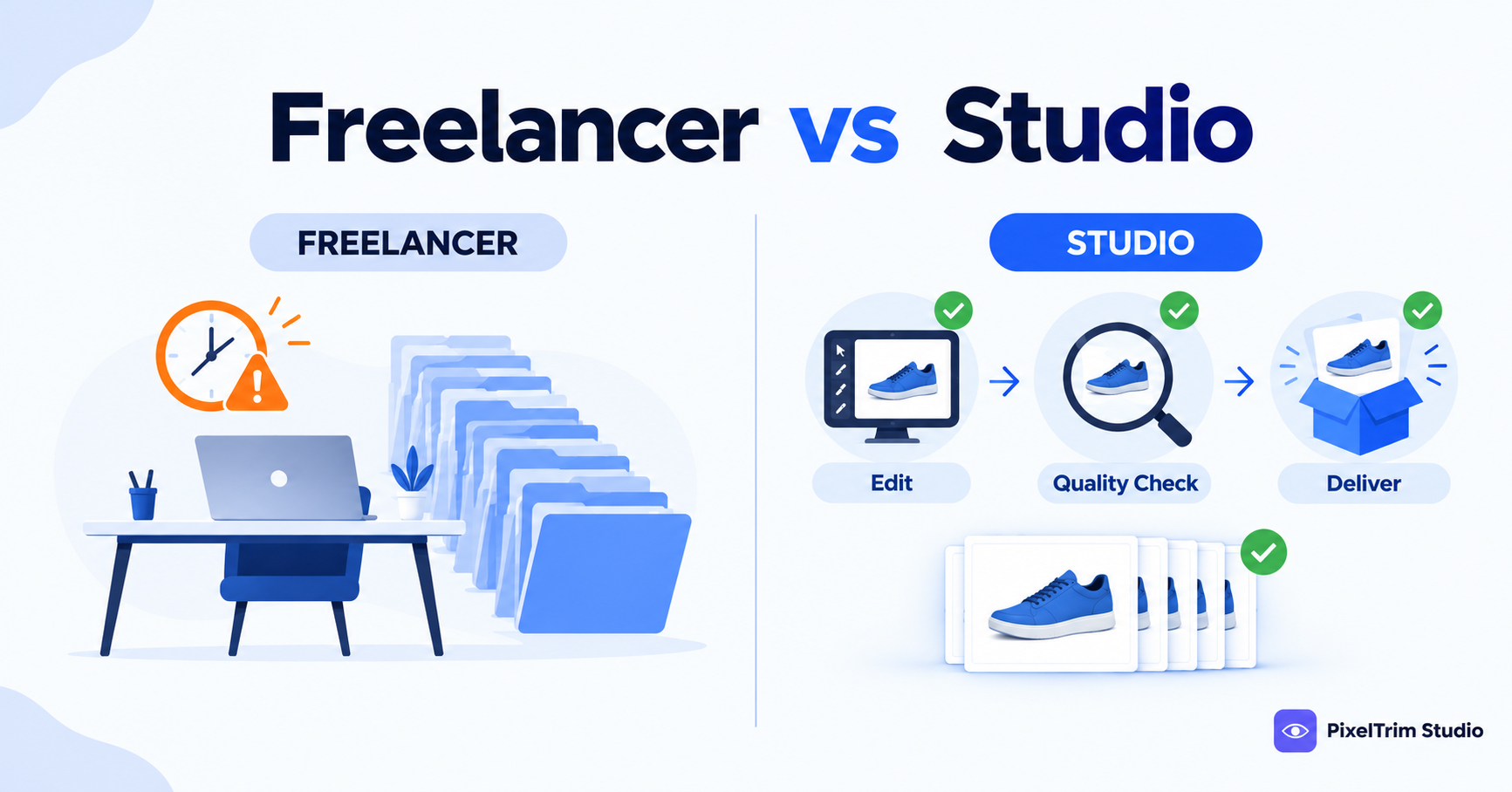
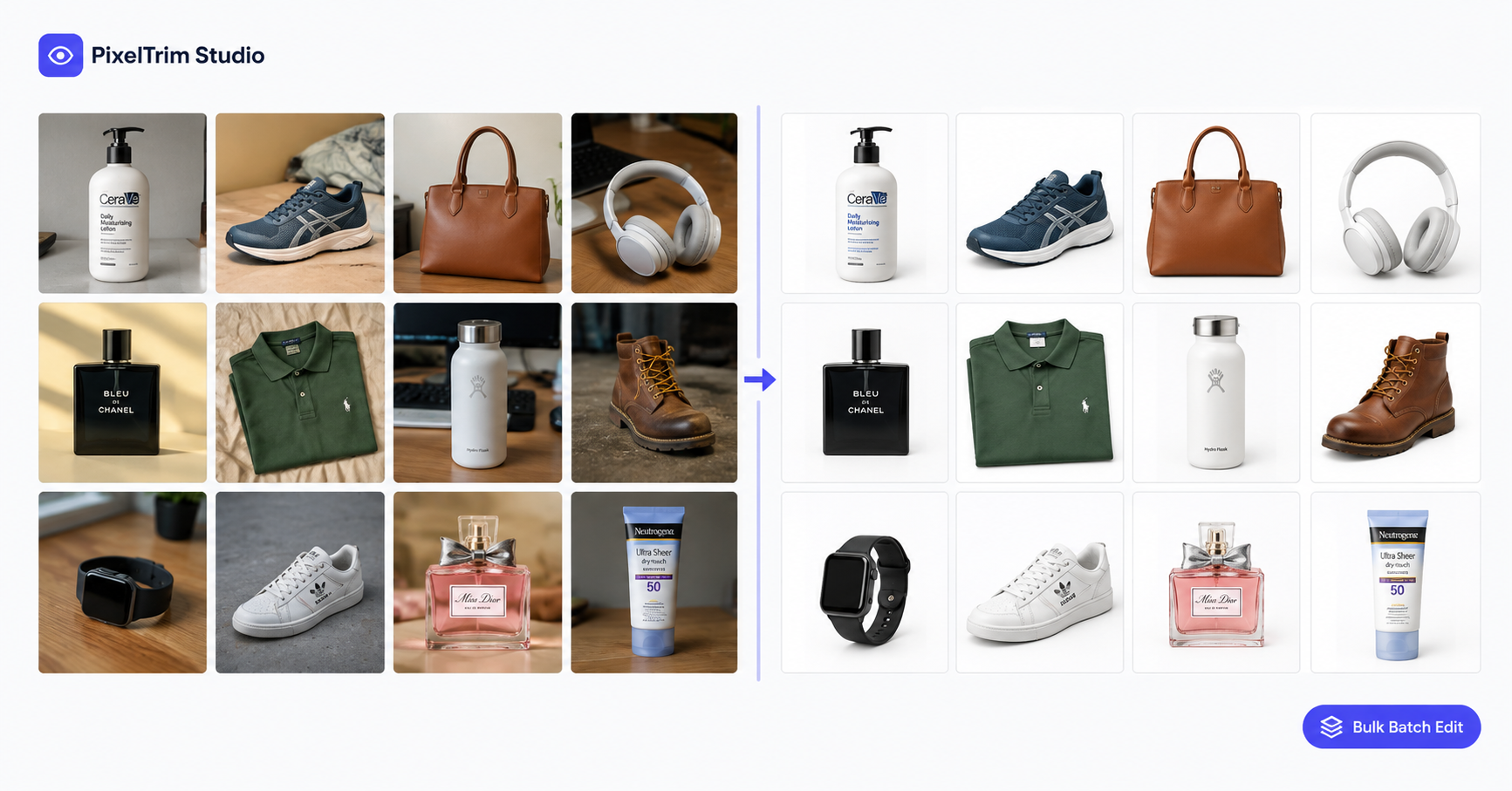
Editing one product well is a skill. Editing a thousand products the same way is a process. The most common failure point in bulk work is not any single image — it is drift: image 1 and image 1 of a 500-image batch don't look like they came from the same store. Different white points, slightly different crop ratios, a shadow style that changes halfway through the set. None of that shows up when you review 5 sample images. It shows up when a customer clicks through your full catalog.
What Bulk Product Photo Editing for Shopify Actually Includes
A provider built for volume work structures the job differently than a one-off edit:
1. Batch background removal / clipping path
The same clipping path work as a single-image order, applied consistently across every SKU in the batch — same background color, same edge treatment, same file format, whether it's image 1 or image 800.
2. A locked style guide across the full catalog
Before editing starts, a serious provider asks for your exact spec — background color or hex code, shadow style, crop ratio, file naming — and applies that same guide to every image, instead of making small style decisions image by image.
3. File naming and folder structure for Shopify import
Shopify matches images to product listings by file name and upload order. A provider handling bulk work should deliver files pre-named and organized to match your SKU list, not a folder of generic filenames you have to sort manually before uploading.
4. Shadow, color and format consistency at scale
Natural or reflection shadows, color correction, and export format (JPG, PNG, or transparent PNG) need to match across the entire batch — this is the part that is easy to get right on 10 images and easy to get wrong on 500.
Who Actually Needs Bulk Product Photo Editing
- Shopify sellers launching a new catalog of 100+ SKUs at once
- Stores adding new products weekly or monthly on a recurring schedule
- Sellers merging photos from multiple shoots, phones, or photographers into one consistent look
- Brands migrating from a marketplace (Amazon, Etsy) to Shopify who need the full catalog re-edited for a branded look — see our Shopify photo editing guide for the branding side of this
How Bulk Pricing Actually Works (2026 Rates)
Bulk work is priced per image, the same tiers as a single order — the difference is what kicks in once volume goes up:
| Tier | Price | What It Covers |
|---|---|---|
| Simple | $0.39 / image | Single clipping path, plain product, solid edges, white or transparent background |
| Medium | $0.69 / image | Multi-part product, handles or straps, color correction included |
| Complex | $0.99 / image | Intricate shapes or holes — jewelry, footwear, furniture — layered PSD on request |
Volume discounts on these per-image rates typically start once an order crosses 50 to 100 images, and PixelTrim's own clipping path service confirms it can handle catalogs of 1,000+ images through its 25+ editor team, with standard 24–48h turnaround regardless of batch size. For a wider look at how pricing shifts across different edit types, see our product photo editing pricing guide.
How the Bulk Editing Process Works
- Send your full batch — via a shared Google Drive or Dropbox folder, not one-by-one uploads
- Define your style guide once — background, shadow, crop, and naming convention for the whole batch
- Editors work the batch as a set — the same standard applied image to image, not reviewed in isolation
- Spot-check delivery — review a sample of the finished batch before final approval on the full set
- Bulk delivery — pre-named, organized files ready for direct Shopify import
Manual vs AI at Volume — Does It Still Matter?
At high volume, AI editing looks tempting purely on speed and cost. But the same edge cases that trip up AI on a single image — fine edges, reflective products, transparent fabric — get multiplied across hundreds of SKUs, and inconsistent results are far more visible across a full storefront than in a single photo. Our full manual vs AI photo editing comparison breaks down exactly where each approach holds up, including at scale.
How to Choose a Provider for Bulk Shopify Batches
- Ask for a small trial batch first — 5 to 10 images, not just 1, so you can judge consistency, not just single-image quality
- Confirm they can actually scale — ask how many editors work a large order and what happens to turnaround at 500+ images
- Get the style guide in writing — background color, shadow style, and file naming should be confirmed before the full batch starts, not after
- Check the revision policy for bulk orders — confirm whether revisions apply per-image or across the whole delivered set
- Confirm turnaround does not change with volume — a provider whose delivery time balloons past a few hundred images is a bottleneck for a growing catalog
Before You Send a Bulk Batch: Shoot for Consistency
A large chunk of what makes bulk editing slow or expensive comes down to how the batch was shot. Mixed lighting, inconsistent framing, and busy backgrounds across a set all add manual correction time per image. See our guide on common product photography mistakes before your next shoot. If your catalog needs more than clipping path — retouching, ghost mannequin, shadow — our full product photo editing service guide covers the complete range.
Have a large Shopify catalog to edit? Send a small sample batch to our clipping path service and see the consistency for yourself, or get in touch for a custom volume quote.
Frequently Asked Questions
What counts as a bulk product photo editing order?
Most providers treat anything from around 50 images upward as a bulk order, where per-image discounts and a locked style guide start to apply. Some providers, including PixelTrim, can handle catalogs of 1,000+ images in a single batch.
Does bulk editing cost less per image?
Usually yes. Volume discounts on the standard per-image rate typically start once an order crosses 50 to 100 images, though exact discount tiers vary by provider.
Does turnaround get slower for a large batch?
For a provider genuinely built for volume, no — standard turnaround should stay around 24–48 hours regardless of batch size, since the work is split across a full editing team rather than one person.
Should I use AI editing to save time on a bulk order?
For simple, plain-background products it can work. For anything with fine edges, transparency, or brand-critical color accuracy, manual editing stays more consistent across a large batch, which matters more at volume than on a single image.
What do I need to prepare before sending a bulk batch?
A clear style guide (background color, shadow style, crop ratio) and a file naming convention that matches your Shopify SKU list, so the delivered files can be imported directly without manual sorting.
Tags
Ready to get your images edited?
Upload 2 photos for a free trial edit — returned in under 24 hours.
Start free trial →