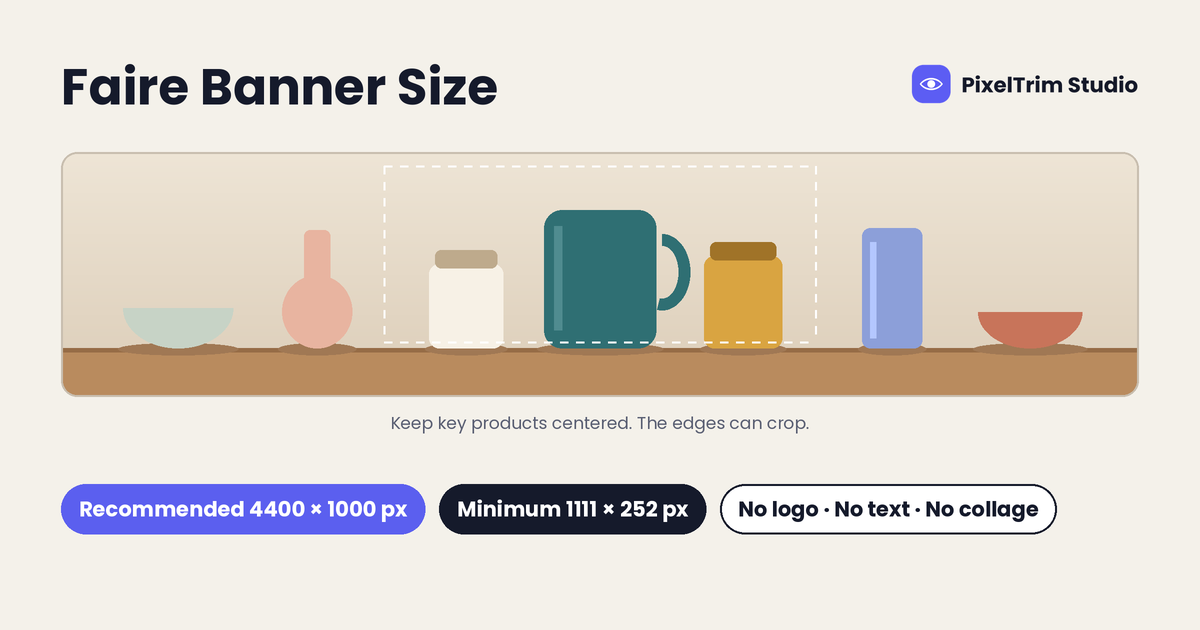
Faire calls it a cover image in the brand portal, most sellers search for it as a banner, and either way it is the wide photo at the top of your shop page. Faire recommends 4400 × 1000 px, sets a floor of 1111 × 252 px, and does not allow logos, text or collages. The numbers are easy to find. The hard part is fitting a normal product photo into a strip that is 4.4 times wider than it is tall.
This guide lists every brand-page image Faire asks for (cover, feature, profile, logo and brand story), the rule for each, and how to prepare a photo that fits the cover without losing the product. Product photo sizes are covered separately in our guide to Faire image requirements.
Faire Brand Image Sizes at a Glance
| Image | Where it appears | Size Faire gives | Key rule |
|---|---|---|---|
| Cover image (banner) | Top of your shop page | 4400 × 1000 px recommended, 1111 × 252 px minimum | No logos, text or collages |
| Feature image | Across the marketplace and in Faire marketing emails | Minimum 500 × 500 px, cropped to a square | Single image, no words, watermarks or logos |
| Profile image | Your shop page | Square, 1080 × 1080 px optimal | An image or logo that represents your brand |
| Logo | Collections pages and the top of marketing emails | 1:1 ratio, 248 × 248 px optimal | Keep it square |
| Brand story image | About tab of your shop page | One rectangle, minimum 790 × 390 px, or two squares, minimum 390 × 390 px each | Cropped automatically if the ratio is off |
| File type | All of the above | PNG or JPEG | Not HTML files |
Faire Cover Image Size: 4400 × 1000 px and the 4.4:1 Ratio
Faire's cover image guidelines name 4400 × 1000 px as the recommended size and 1111 × 252 px as the minimum. Both describe the same shape: 4400 ÷ 1000 is 4.4, and 1111 ÷ 252 is about 4.41. Aim for a 4.4:1 strip and export at the full recommended size whenever the source file is large enough, because a cover at the minimum has very little detail to spare across a wide screen.
Faire also says the banner crop may shift slightly with screen size: the height stays fixed, the width adjusts to the browser window, and the image stays centered. Faire does not publish a separate mobile size. Our advice is to keep the products you care about near the middle of the strip, so a narrower window trims background rather than product.
To upload or replace a cover, open the Shop page in your brand portal, choose the image type (feature, cover, logo or profile) and select the file.
Cover Image Rules: What Goes In and What Stays Out
- No logos or text. That includes your brand name set in a graphic, so keep the wordmark for the logo slot.
- No photo collages. Faire adds that images showing several products in one photo, or products in use, tend to work better than a single product shot. Aim for one real scene, not several photos stitched together.
- No products with inappropriate language and no nudity.
- High resolution, in the original file format if possible. Avoid re-saving a compressed copy over and over.
- Represent your best-selling category and overall brand look. The cover sets the tone before a retailer scrolls to a single product.
Faire's design team periodically audits cover images, and a cover that breaks the guidelines may be replaced by the team, with an email to let you know. A clean cover on the first upload avoids that.
How to Fit a Normal Photo Into 4400 × 1000 px
A 4.4:1 strip keeps only a thin slice of a standard photo, and the arithmetic is the reason many covers fail:
- A 6000 × 4000 px camera photo cropped to 4.4:1 keeps 6000 × 1364 px, about 34% of the original height. That is wide enough to export at 4400 × 1000 px.
- A 3000 × 3000 px square product photo cropped to 4.4:1 keeps 3000 × 682 px, under a quarter of the height. It is above the 1111 px minimum but well short of the 4400 px Faire recommends, and the product is usually cut off.
That leaves three practical routes:
- Shoot wide. Photograph the scene horizontally with empty space on both sides of the products, so the crop has room to work.
- Extend the scene. If you only have a tight shot, a composite can widen the background around the product. This is image manipulation work, and it works best when the original background is simple.
- Crop only when there is room. If your best photo already has space above and below the products, a straight 4.4:1 crop is the cheapest fix.
Many cover problems start at the shoot. Busy backgrounds and uneven lighting are covered in our guide to product photography mistakes that make editing harder.
Feature, Profile, Logo and Brand Story Images
Feature image. This is the primary image Faire uses to show your brand across the platform, and Faire's design team approves it when you join. It must be at least 500 × 500 px, a single image, and free of words, watermarks and logos. Crop it to a true 1:1 square rather than stretching it. The advice is close to the opposite of a product hero: Faire recommends a lifestyle image that shows your best sellers in use, and says to avoid plain white backgrounds. It also suggests avoiding models who look straight at the camera, unless the product (a hat or earrings, for example) cannot be shown without one. New feature image requests take 5 to 7 business days to review, and images that break the rules are denied and sent back.
Profile image. Square, with 1080 × 1080 px as the optimal size. It can be a photo or your logo.
Logo. A 1:1 image, with 248 × 248 px as the optimal size. Faire shows it on collections pages and at the top of marketing emails you send to retailers.
Brand story images. Your About tab takes either one rectangle (minimum 790 × 390 px) or two squares (minimum 390 × 390 px each), cropped automatically if your photos are not already the right shape. Use them to show how your products are made.
Fixing the Most Common Cover and Feature Image Problems
- A logo, text or watermark is baked into the photo. Object removal cleans it out. PixelTrim's image manipulation service starts at $2.99 per image for simple object removal or swap and simple background replacement.
- The photo is not wide enough for a cover. A multi-element composite with matched lighting is the $7.99 per image Standard tier. Simpler extensions are quoted by complexity, so send the photo and ask.
- Wrong ratio, size or file type. Image conversion covers format conversion and resizing to spec at $0.19 per image, and format plus color mode and DPI changes at $0.39 per image. Our explainer on image conversion covers what each step changes.
Worked example: a brand removes a logo overlay from both its cover and feature images (2 × $2.99 = $5.98) and has all five brand-page images resized to spec (5 × $0.19 = $0.95). At published rates, with each removal a simple one, that is $6.93 in total.
Pre-Upload Checklist
- Cover is about 4.4:1, exported at 4400 × 1000 px where possible and never below 1111 × 252 px
- Key products sit near the center of the cover strip
- Cover has no logo, text or collage
- Feature image is a single square of at least 500 × 500 px, with no words, watermarks or logos
- Feature image shows the product in use, not on plain white
- Profile image is square, ideally 1080 × 1080 px
- Logo is 1:1, ideally 248 × 248 px
- Brand story uses one rectangle (790 × 390 px minimum) or two squares (390 × 390 px minimum)
- All files are PNG or JPEG
Sizes and rules in this guide come from Faire's public Help Center pages on cover image guidelines, image size requirements, feature image guidelines and brand story guidelines. Faire's help pages are not always consistent with each other (product photo minimums, for example, differ between pages), so confirm the numbers in your brand portal before uploading.
Need a logo removed or a photo widened for your Faire cover? Get a free sample edit from PixelTrim Studio and check the result before you commit to a full batch.
Frequently Asked Questions
What size should a Faire cover image be?
Faire recommends 4400 x 1000 pixels and sets a minimum of 1111 x 252 pixels. Both are about a 4.4:1 strip, so crop to that shape and upload a PNG or JPEG.
Does Faire allow text or a logo on the cover image?
No. Faire's cover image guidelines require no logos or text and no photo collages. Faire's design team audits covers and may replace one that breaks the guidelines.
What is the Faire banner size on mobile?
Faire does not publish a separate mobile banner size. It says the banner height stays fixed, the width adjusts to the browser window and the image stays centered, so keep your key products near the middle.
What size are the Faire logo and profile images?
Faire recommends a 1:1 logo at 248 x 248 pixels and a square profile image at 1080 x 1080 pixels. Both should be PNG or JPEG files.
What are the Faire feature image requirements?
The feature image must be at least 500 x 500 pixels, a single image with no words, watermarks or logos, and cropped to a 1:1 square. Faire's design team reviews it, and new requests take 5 to 7 business days.
Tags
Ready to get your images edited?
Upload 2 photos for a free trial edit — returned in under 24 hours.
Start free trial →

