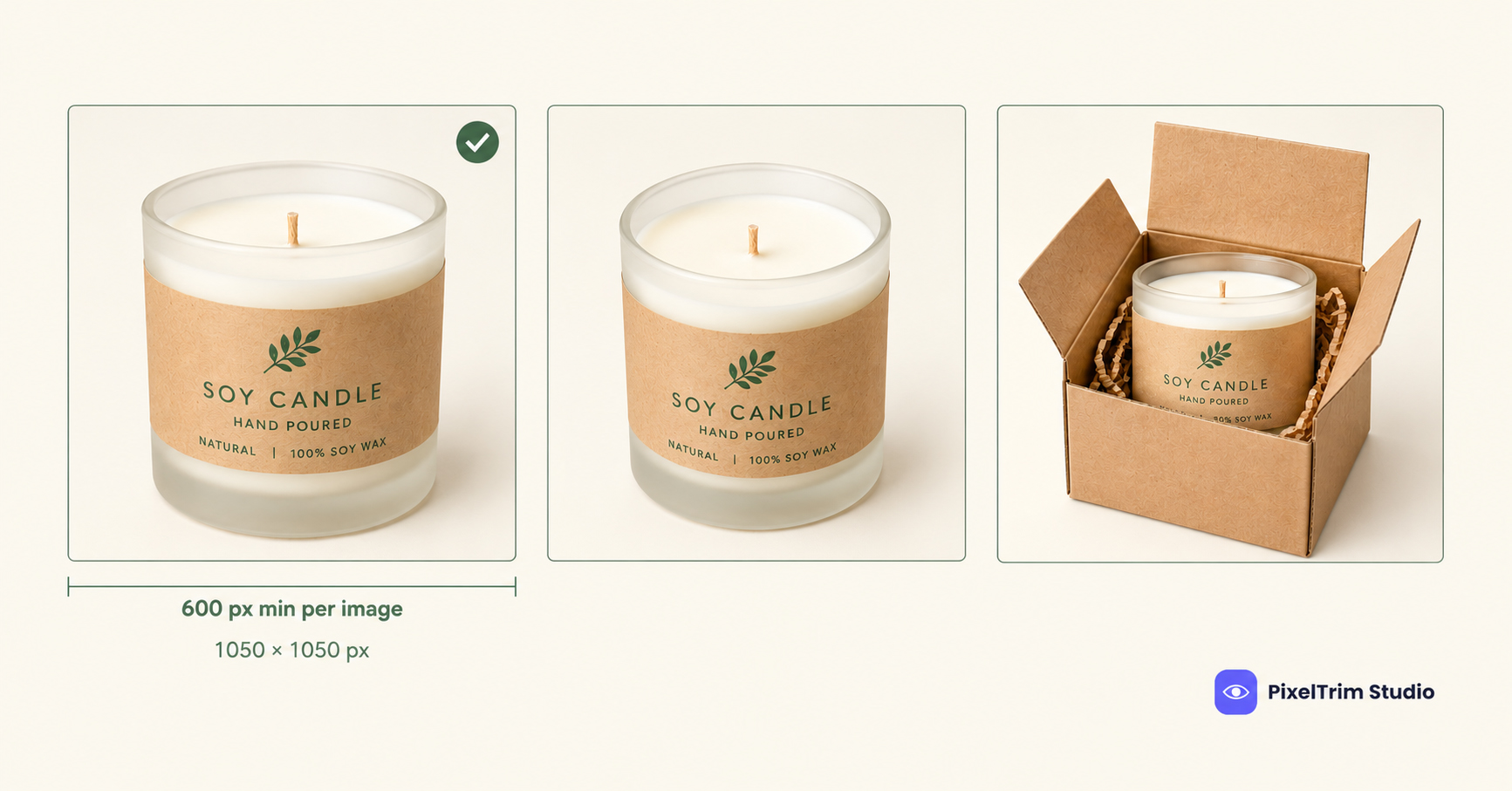
Faire does not publish one long image rulebook. It publishes a few short help-center pages, and the numbers look like they disagree: one says 1050 × 1050 px, another says 600 × 600 px or higher. Both are correct, because they describe different things. This guide separates the ideal size from the minimum, lists what a hero image can't contain, and shows how to get a whole wholesale catalog into one consistent look before you upload.
One note on scope: Faire frames these rules as photography guidelines and listing best practices, not as a published rejection list. They still matter, because a retailer scrolling a grid of square tiles decides in seconds, and the hero image is the only thing on the tile.
Faire Image Specs at a Glance
| Item | Faire guidance | Notes |
|---|---|---|
| Ideal size | 1050 × 1050 px, square | Named in Faire's product photography guidelines and product editor help |
| Minimum size | 600 × 600 px or higher | Listing checklist, for the hero and every additional image |
| File type | JPG or PNG | Product editor help |
| Aspect ratio | Square (1:1) | Rectangular images can read as a mistake in the grid |
| Hero background | White or light-colored | White works best; dark or cluttered backgrounds are discouraged |
| Hero content | Product centered, filling the tile | No text overlay, watermark or logo; no collage; no padded margins |
| Video | Up to 3 per listing, 2 GB each | Product editor help |
| Image file-size cap | Not stated | None of the help pages give a maximum, so check the upload screen |
Why Faire Lists Two Different Sizes
600 × 600 px is the floor. It comes from the listing checklist and applies to the hero and every additional image. 1050 × 1050 px is the target. It is the size Faire calls ideal in its photography guidelines and in the product editor. Our advice: export at 1050 × 1050 px, cropped to a true square, so you never depend on a 600 px file being stretched to fill the tile.
Hero Image Rules: What Goes In and What Stays Out
The first image in a listing is always the featured image, the one retailers see in search and browse. Faire's guidance for it:
- Center the product and zoom in so it fills the square tile.
- Use a white or light background. White works best, and dark or cluttered backgrounds are discouraged.
- Keep the image free of text, watermarks and logos.
- No collages and no padded margins. Extra white space shrinks the product inside the tile.
- Show one clear product. Faire says unnecessary objects make the feature image confusing, so staged shots belong in the secondary photos.
- Avoid low-quality or pixelated files.
The test Faire applies is thumbnail legibility: can a retailer identify the product at a glance in a small tile?
The Rest of the Listing: Extra Images, Variants and Video
Everything after the hero can be more flexible. Faire's guidance for additional images:
- Show the product from several angles: front, back and side.
- Add one image per variant, plus swatches for products with color or pattern options. If you have color options but no swatches, Faire may generate them from the colors in your photos, which is another reason color accuracy matters.
- Include a packaging shot so retailers can picture the product on their shelf.
- Add a lifestyle or merchandising shot. This is where styled scenes belong.
Faire reports that listings with two or more images earn about twice the order volume of single-image listings, and that a short product video lifts conversion by roughly 15 to 20 percent. Those are Faire's own figures, not independent data, but the direction fits how wholesale buyers shop: they can't handle the product, so the photos do that job.
Faire vs Wayfair and Etsy: Where the Rules Differ
Many Faire brands are independent makers who list elsewhere too, so it helps to know which rules transfer. Wayfair's supplier image requirements start at 1,000 × 1,000 px and lean on five shot types. Faire is lighter on formal shot types but stricter about the hero tile: square, light background, nothing overlaid. Etsy's image rules focus on authenticity and disclosure, and Etsy allows a watermark at a cost to reach, while Faire asks you to remove watermarks and logos from the hero. A photo set built for Etsy does not automatically pass as a Faire hero.
Getting a Catalog Faire-Ready
Most Faire photo problems come down to four things, and each has a standard fix:
- Non-square originals. Re-crop or extend the canvas so the product sits centered and fills a 1050 × 1050 px square without padded margins.
- Busy or colored backgrounds. A manual clipping path isolates the product cleanly onto white or a light tone. PixelTrim's rates are $0.39 per image for simple shapes, $0.69 for medium and $0.99 for complex, with 24 to 48 hour turnaround.
- Mixed shadows across the line. Faire's own advice is consistency: similar backgrounds make a product line look cohesive. Pick one shadow style for the whole range. Our product photo shadow guide explains natural, drop and reflection shadows.
- Catalog scale. Faire lets you import from Shopify or upload a spreadsheet, so a large line can arrive all at once. Lock a style guide before editing starts, as covered in our guide to bulk product photo editing for Shopify, and use the product photo editing pricing guide to budget the batch.
Pre-Upload Checklist
- Every image is a square, 1050 × 1050 px where possible and never below 600 × 600 px
- Files are JPG or PNG
- Hero shows the product centered and filling the tile on a white or light background
- Hero has no text, watermark, logo, collage or padded margin
- Hero shows one clear product; lifestyle and staged shots are saved for later images
- Listing has at least two images: angles, packaging, and one image per variant
- Background and shadow style match across the whole line
- Colors are true to the product, since Faire may build swatches from your photos
Specs in this guide come from Faire's public Help Center pages (product photography guidelines, product listing checklist and the add or edit products guide) as of October 2026. Confirm them in your Faire brand portal before a large upload.
Need a whole line cropped square, cut out and matched for Faire? Get a free sample edit from PixelTrim Studio and check the result before you commit to a full batch.
Frequently Asked Questions
What size should Faire product images be?
Faire names 1050 x 1050 pixels, square, as the ideal size, and accepts JPG or PNG files. Crop every image to a square so it fills the listing tile cleanly.
What is the minimum image size on Faire?
Faire's listing checklist asks for 600 x 600 pixels or higher on the hero image and on every additional image. Treat 600 px as the floor and 1050 px as the target.
Can I use a lifestyle photo as my Faire hero image?
Faire recommends a white or light, uncluttered background and a centered product for the hero image. Busy scenes and styled props belong in the additional images, not the first one.
Does Faire allow watermarks or logos on product photos?
Faire's checklist tells brands to remove text overlays, watermarks and logos from the hero image. Keeping the rest of your images clean as well is the safer habit.
How many images should a Faire listing have?
At least one image is required to save a listing, but Faire recommends two or more. Faire reports that listings with two or more images earn about twice the order volume of single-image listings.
Tags
Ready to get your images edited?
Upload 2 photos for a free trial edit — returned in under 24 hours.
Start free trial →

