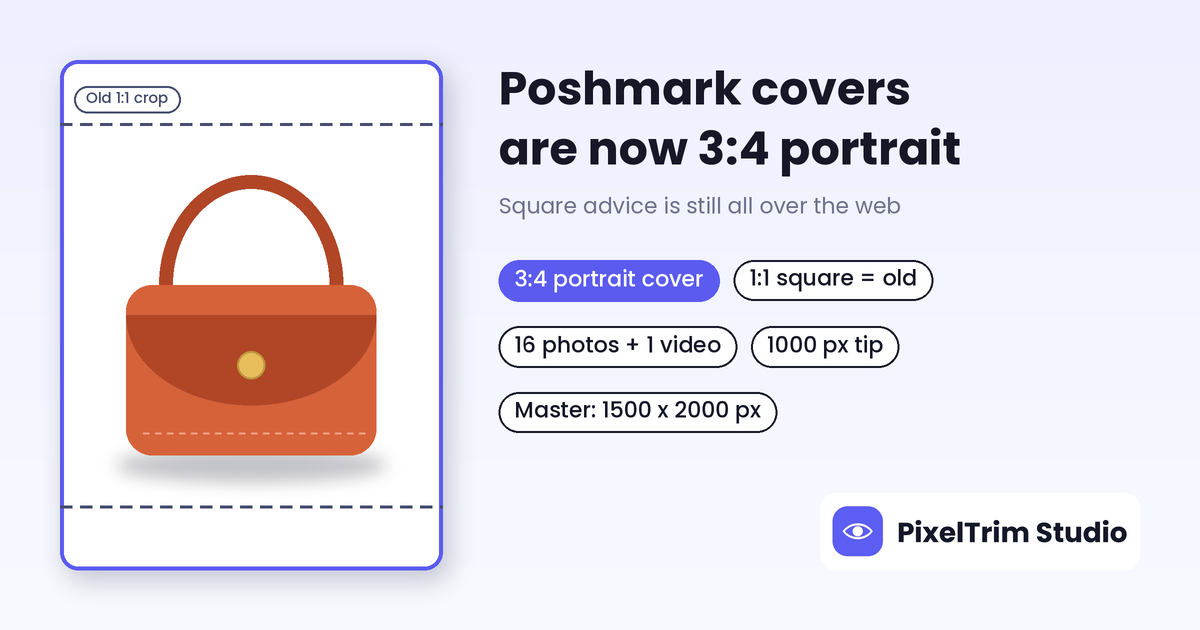
Search "Poshmark photo size" and most guides tell you to crop to a square. Poshmark itself changed that: its Seller Updates post says cover photos now display in portrait (3:4) instead of square (1:1). Yet its Listing Photography Guide, which was still live when we checked, tells sellers to shoot in square (1:1) mode. This guide puts the numbers side by side, labels which ones come from Poshmark and which come from third parties, and shows how to prep one photo set that works for both frames.
Poshmark Photo Specs at a Glance
We opened Poshmark's Seller Updates post and its Listing Photography Guide in full. Poshmark's Help Center listing article blocked automated access, so those rows come from search-result snippets and are marked that way. The last column shows where each point comes from, so you can tell a rule from a rumor.
| Requirement | What we found | Where it comes from |
|---|---|---|
| Cover photo ratio | Portrait 3:4 (some devices show it as 4:3, same format) | Poshmark Seller Updates post |
| Older ratio advice | Shoot in square (1:1) mode and crop to square | Poshmark Listing Photography Guide, still live |
| Photos per listing | Up to 16, plus 1 video | Poshmark blog; Help Center snippet |
| Pixel size tip | 1000 x 1000 px "for optimal quality" | Help Center snippet, page not opened |
| Cover background | White or simple; clean and uncluttered | Poshmark guide and Seller Updates post |
| Existing square photos | No action needed; shoppers can view the original on the listing page | Poshmark Seller Updates post |
| Maximum file size and format | Not stated on the pages we opened | Not stated |
| "Cover plus 8 photos" | Older guides describe 1 cover and 8 detail photos | Third party, does not match Poshmark's pages |
| Suggested master file | 1500 x 2000 px portrait JPEG, sRGB | Our recommendation, not a Poshmark number |
Heads-up: Poshmark said the portrait update is rolling out gradually, so the app and desktop may look different for a while. Treat the pixel rows as safe defaults and confirm anything strict on your own upload screen.
Where Poshmark's Own Pages Disagree
Square or portrait?
The Seller Updates post says listings, especially dresses, pants and full outfits, now appear larger in a 3:4 portrait frame, and that your phone camera already defaults to that shape. The Listing Photography Guide still says to crop to square. Because the Seller Updates post is the one describing a change, we treat 3:4 portrait as the current frame and the square advice as older guidance. Many third-party posts still repeat the square rule.
8 photos or 16?
Poshmark's own blog and help pages say up to 16 photos and 1 video. Some older third-party how-to guides describe a cover photo plus 8 detail photos. Plan for 16, and ignore any guide that caps you at 9.
1000 x 1000 px for a portrait frame?
The Help Center tip is a square number. In a 3:4 frame, keeping the same 1000 px width gives about 1000 x 1333 px. Going higher costs nothing, which is why we suggest a larger master file below.
What the 3:4 Cover Means for Your Shots
A 3:4 frame is taller than a square by one third. The central square keeps 75% of the height, so about 12.5% of the frame sits above and below it. If you shoot for square and Poshmark frames it as portrait, your item can end up small with dead space. If you shoot portrait, anything near the top or bottom edge is at risk when the photo is cropped elsewhere.
Poshmark's portrait tips are practical: center the item vertically and horizontally, fill the frame, leave a slight space around the edges, and show the full item without cutting off hems, sleeves or straps. Our suggestion is to keep key details such as the neckline, logo and hem inside the middle of the frame, with a small margin on every side.
One Master File That Works Everywhere
Shoot and export a 1500 x 2000 px portrait JPEG in sRGB, with the item centered. That is our suggested master, not a Poshmark requirement. It clears the 1000 px tip with room to spare and still crops to a clean square if you list elsewhere.
Cross-listing needs one more step. Mercari publishes a 12-photo cap but no pixel spec, as covered in our Mercari image requirements guide. eBay publishes a 500 x 500 px minimum and recommends 1,600 px on the longest side, as covered in our eBay image requirements guide. Zalando asks for a different portrait ratio, 1:1.44, as covered in our Zalando image requirements guide. So keep one uncropped original and export each platform's version from it instead of re-cropping an already cropped file. If an upload is ever rejected, the fix is usually a resize or format change, which our image conversion service handles.
A 16-Slot Shot List for Poshmark
Sixteen slots is plenty if you plan them. This order is our suggestion, built around Poshmark's own advice to lead with a clean cover and show every angle:
- Slot 1: the full item, portrait, plain background, centered. This is the cover.
- Slots 2 to 4: back, side and a laid-out or hanging view.
- Slot 5: brand tag or label.
- Slot 6: size and care label.
- Slots 7 to 9: fabric texture, hardware, stitching or special details.
- Slot 10: the item next to a familiar object for scale.
- Slots 11 to 15: every rip, stain or sign of wear, photographed up close.
- Slot 16: a styled shot, if it helps a buyer picture the item.
Which Edits Are Safe on Poshmark, and Which Are Not
Poshmark's guide tells sellers to photograph rips, stains and signs of wear, so the line is simple: clean up the photo, never the item.
- Safe: background clean-up, straightening and cropping, and exposure and white-balance correction. Poshmark's own guide warns that warm household bulbs can tint a photo, denim especially, so matching the color to the real item is fair.
- Not safe: erasing a stain, tear or fading, changing the item's color, or reshaping it. A photo that hides a flaw is a misrepresentation risk, not a style choice.
Slot 1 is where editing pays off most. If your home setup leaves a cluttered or uneven backdrop, a clipping path cutout on a clean background fixes the cover without a reshoot. Uneven lighting across a batch and cluttered backdrops are the usual culprits, and our product photography mistakes guide shows how to avoid them at the shoot stage.
What Cleaning Up Poshmark Photos Costs
Prices below are from our live service pages:
- Clipping path: $0.39 simple, $0.69 medium, $0.99 complex per image
- Image conversion: $0.19 basic (format and resize), $0.39 standard (adds color mode or DPI change)
Most sellers only need slot 1 cleaned up. A simple cutout plus a basic resize to the portrait master is $0.39 + $0.19 = $0.58 per listing, or $58 for 100 listings. Cutting out all 16 photos at the simple rate would be 16 x $0.39 = $6.24 per listing before conversion, which is rarely necessary. Garments with straps or cut-outs may need the medium tier.
Want your Poshmark cover photo to look right? Send two sample images and we'll edit them free. Start the free trial →
Frequently Asked Questions
What size should Poshmark photos be?
A Poshmark Help Center tip, seen in a search result, says images should be 1000 x 1000 pixels for optimal quality. Poshmark now shows cover photos in portrait 3:4, so a 1000 px wide photo at that ratio is about 1000 x 1333 px. Our suggested master file is 1500 x 2000 px, which is our own number, not a Poshmark rule. The pages we opened do not state a file-size cap or format.
Are Poshmark photos square or portrait?
Poshmark's Seller Updates post says cover photos now display in portrait (3:4) instead of square (1:1). Its older Listing Photography Guide still tells sellers to shoot and crop square. Treat portrait 3:4 as the current frame, and keep the item centered so a square crop still works if you cross-list.
How many photos can I add to a Poshmark listing?
Poshmark's own blog and help pages say up to 16 photos and 1 video per listing. Some older third-party guides still describe a cover photo plus 8 detail photos, which does not match Poshmark's current pages.
Do I need to re-upload my old square photos?
No. Poshmark says listings with photos taken before the change need no action, and shoppers can tap into a listing to see the original photo. You can update cover photos to fit the portrait frame if you prefer, but it is optional.
Does Poshmark require a white background?
Not on the pages we opened. Poshmark's guide suggests a white or simple background for the cover photo, and its portrait tips ask for clean, uncluttered backgrounds. White is the easiest plain background to keep consistent across a batch.
Can I edit a flaw out of my Poshmark photo?
No. Poshmark's own photo guide tells sellers to photograph rips, stains and signs of wear. Edit the background, crop, straightening, exposure and color so the photo matches the real item, but leave flaws visible so the buyer gets what the photo shows.
Tags
Ready to get your images edited?
Upload 2 photos for a free trial edit — returned in under 24 hours.
Start free trial →

