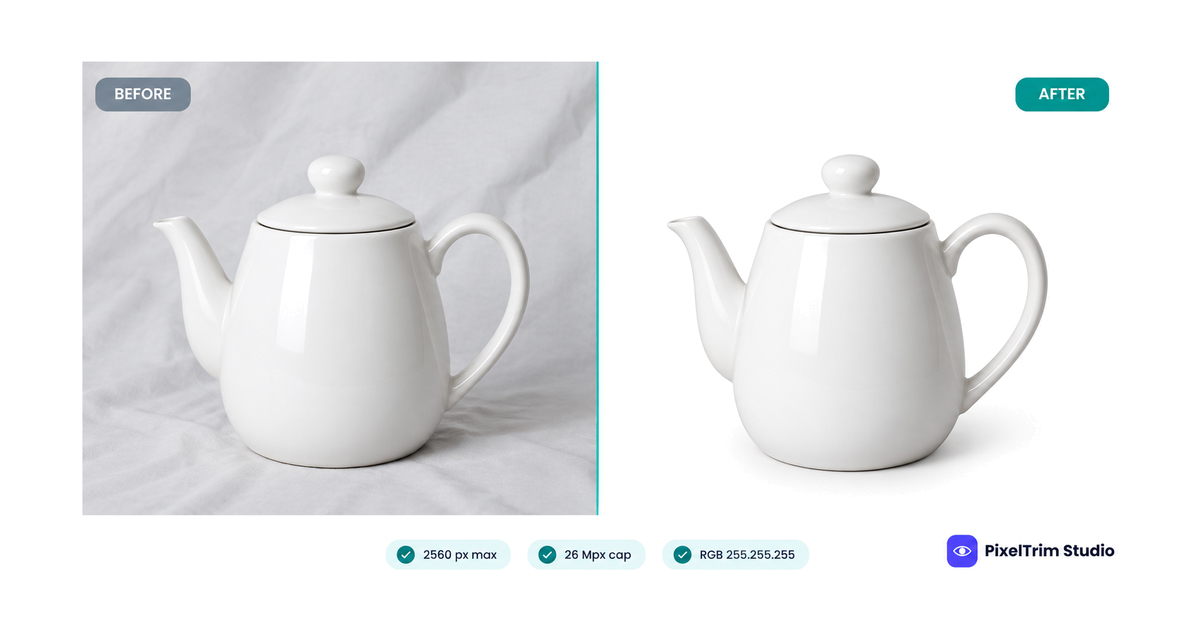
Allegro is Poland's largest marketplace, and the same group also runs allegro.cz, allegro.sk and allegro.hu. Its photo rules are strict in one place and relaxed in another: the first photo of every offer, the thumbnail, must sit on a plain white background with nothing added, while the rest of the gallery can use any background colour and almost any ratio. Mixing the two up is an easy way to end up with a non-compliant thumbnail.
This guide pulls the numbers into one place, separates the thumbnail rules from the gallery rules, covers the fashion exception, and prices the editing jobs that usually fix a failing set. The figures follow Allegro's seller help page on thumbnails and a reply from an Allegro community moderator at the time of our latest check. Category-specific rules and legal fields sit on other pages, so confirm anything outside the photos in your seller account before a large upload.
Allegro Image Specs at a Glance
| Requirement | Allegro guideline |
|---|---|
| Maximum upload resolution | 26 Mpx |
| Maximum displayed size | 2560 x 2560 px; a longer side above 2560 px is scaled down proportionally |
| Minimum size | Longer side of at least 400 px on the thumbnail rules page; a moderator reply about gallery photos says 500 px |
| Aspect ratio | Any for gallery photos (1:1, 4:3, 16:9 or other) |
| File formats | JPG, JPEG and PNG; WebP is also accepted when you list through the API or from a file |
| Colour profile | sRGB, so colours are shown faithfully |
| First photo (thumbnail) | White background, RGB 255.255.255 |
| Other gallery photos | Any background colour |
Two details matter before you resize anything. First, 2560 px is a ceiling, not a target to exceed. Allegro scales anything larger down to fit, so a bigger file only adds weight. Second, the minimum is not stated the same way everywhere: the thumbnail page says the longer side cannot be under 400 px, while the moderator reply gives 500 px for gallery photos. We found no single page that reconciles the two, so treat 500 px as the safe floor. The rules give no zoom size, so as our own suggestion, work close to 2560 px on the longer side whenever your original allows it.
What the Allegro Thumbnail Rules Allow
The thumbnail is always the photo you set as first in the listing form. It is the one shoppers see in search results, and it is free in every category. Allegro asks for a standard white, RGB 255.255.255, with no frames or other decoration. White and transparent products are not exempt, so a white mug still needs a clean white background around it.
| Allowed on the thumbnail | Not allowed on the thumbnail |
|---|---|
| The product on a plain white background | Frames and other decorative elements |
| Several angles of the same product, such as front, back, a close-up and the inside | The same view repeated so it looks like extra items are for sale |
| Every item of a set, when you sell them together | Items that are not part of what the buyer receives |
| The manufacturer's original packaging, when the item ships in it | Your own shop logo on the packaging |
| Models alongside the product | Text, icons, arrows or graphics in the background |
| A helper item that shows how the product is used | Logos in the background (the product's own logo on the item or its box is fine) |
| A free gift that ships with the order (show just one if the buyer chooses) | Watermarks, or anything that advertises your shop or brand |
Allegro also allows a graphic indication of colour, taste or scent when a photo cannot show it. Prices, shipping offers and discounts have their own places in the offer and do not belong on the thumbnail.
The rules page does not mention shadows. Because any shadow or gray gradient means pixels that are not 255.255.255, treat them as a risk on the thumbnail. That is the same cautious approach we suggest in our Kaufland image requirements guide. To check a background yourself, use the color picker method in our pure white background guide.
Fashion and Other Category Exceptions
In fashion and a few related categories, the thumbnail may use a white or light gray uniform background. Allegro defines light gray as a value of at least 0.8 on the V scale of the HSV colour model. The exception covers both business and standard accounts in these categories:
- Fashion: clothing, footwear and accessories
- Fashion: jewellery and watches
- Fashion: haberdashery and accessories, and backpacks
- Kids: clothing and footwear
- Sport and tourism: luggage, clothing, footwear and backpacks
Other cases allow a non-white thumbnail background, such as used, refurbished or damaged items on a standard account, and a long list of categories that includes art, plants, flooring, wallpaper, furniture sets, vehicles and real estate. Selected categories also allow lifestyle photos, and furniture sets may be shown arranged. The full category lists are on Allegro's page, so check yours there before assuming an exception applies. Marketplaces differ here: Zalando, for example, sets a fixed portrait ratio, as we explain in our Zalando image requirements guide.
Building the Rest of the Gallery
- Any background and any ratio. Allegro's moderator confirmed that photos after the first can use any colour and any proportions. As our own habit, keep one ratio across an offer so the gallery looks tidy.
- Formats. JPG, JPEG and PNG for every listing method. Use WebP only when you list through the API or from a file.
- Colour profile. Avoid profiles other than sRGB if you want colours reproduced faithfully.
- Photo count. We did not find a photo cap on the Allegro pages we checked. Third-party seller guides report up to 16 photos on business accounts and 10 on standard accounts, so confirm the limit in your listing form.
- Faces in the catalog. Allegro hides photos with a visible face in its Product Catalog, although models are still allowed in your own offer photos.
Why the Thumbnail Rules Matter
Allegro states that its research shows products on a white background are more attractive to buyers, and that a good photo can raise the chance of a sale by up to 12%. The rules also have teeth. Allegro's relevance sorting takes the thumbnail rules into account, a non-compliant thumbnail can lead to sanctions under the Allegro terms, and a seller applying for or keeping Super Seller status cannot have a warning for a non-compliant thumbnail. Sellers with an individual agreement that sets their own thumbnail terms are the exception.
AI-Generated Images on Allegro
Under the EU AI Act, a photo that is a deepfake, meaning it was generated or substantially changed with AI, must be disclosed to viewers. Allegro offers a labelling option when you add photos in the Product Catalog, in the listing form, by file and through the API. Our AI image disclosure rules guide sorts the platform rules from the legal ones. This is a seller's summary, not legal advice.
What Fixing an Allegro Set Costs
Allegro only demands a white background on the first photo, so most sets need one cutout per product plus a resize or format fix. These are PixelTrim Studio's current per-image rates:
| Job | Service | Price per image |
|---|---|---|
| Cutout to flat white, RGB 255.255.255 | Clipping path | $0.39 simple, $0.69 medium, $0.99 complex |
| Resize, format and rename to spec | Image conversion | $0.19 basic, $0.39 standard (adds color mode, DPI and profile embedding) |
As a worked example, take one product with an 8-photo offer. A simple clipping path on the thumbnail costs $0.39, and basic conversion on all 8 files adds $1.52 (8 x $0.19), about $1.91 per product. If you want the sRGB profile embedded on every file, standard conversion makes that $3.12 plus the $0.39 cutout, or $3.51. Intricate shapes such as jewelry, footwear and furniture sit in the complex tier, so the same offer with a $0.99 thumbnail cutout and basic conversion comes to $2.51. Our clipping path pricing guide explains the tiers in full.
Resizing cannot create detail that was never captured. If an original is far below 2560 px, conversion will resize it but the image will still look soft, and a reshoot is the better fix. When the edge has to land on exact white, a hand-drawn path is the safer route, and our manual vs AI background removal comparison shows where automatic tools fall short. Turnaround is 24 to 48 hours with one free revision round.
Pre-Upload Checklist for Allegro
- First photo is the thumbnail you intend, on plain white RGB 255.255.255 (or light gray if your category allows it)
- No frames, text, icons, arrows, background logos or watermarks on the thumbnail
- Several angles on the thumbnail only if they do not suggest extra items
- Longer side at least 500 px on every photo, ideally close to 2560 px
- Files under 26 Mpx in JPG, JPEG or PNG (WebP only via API or file)
- sRGB colour profile on every file
- Gallery photos in one consistent ratio, with any background you like
- Any AI-generated or AI-altered photo labelled where Allegro offers the option
Not sure your photos would pass? Send two sample images and we will edit them to these specs, free, through our clipping path service page. For the full wording of the thumbnail rules, see Allegro's own seller help page on thumbnails.
FAQ
What size should Allegro product photos be?
Allegro displays photos up to 2560 x 2560 px and accepts uploads up to 26 Mpx, scaling anything with a longer side above 2560 px down proportionally. The longer side must be at least 400 px on the thumbnail rules page, and a moderator reply cites 500 px for gallery photos, so 500 px is the safe minimum.
Does Allegro require a white background?
Yes for the thumbnail, which is the first photo in the offer. It must be a plain white background, RGB 255.255.255, even for white or transparent products. Fashion and a few related categories may also use a uniform light gray background.
Can gallery photos use a different background colour?
Yes. An Allegro community moderator confirmed that the photos after the first can have any background colour and any aspect ratio, such as 1:1, 4:3 or 16:9.
Does Allegro allow text, logos or watermarks on the thumbnail?
No. The thumbnail may not carry text, icons, graphics, frames, a watermark or logos in the background. The product's own logo on the item or its packaging is allowed, and a graphic indication of colour, taste or scent is allowed when a photo cannot show it.
Which file formats does Allegro accept?
JPG, JPEG and PNG work for every listing method. WebP is also accepted when you list through the API or from a file. Allegro advises using only the sRGB colour profile so colours are reproduced faithfully.
Tags
Ready to get your images edited?
Upload 2 photos for a free trial edit — returned in under 24 hours.
Start free trial →

